Contabo shows up on a lot of resellers’ shortlists for one reason: it’s cheap, the specs are generous for the price, and the API is solid. What it doesn’t come with is a way to sell it through WHMCS out of the box. I’ve watched hosts try to bolt Contabo onto a generic “other” product type, then spend their evenings manually spinning up VPS instances every time an order lands in the queue. That’s the gap the Contabo Server module is built to close.
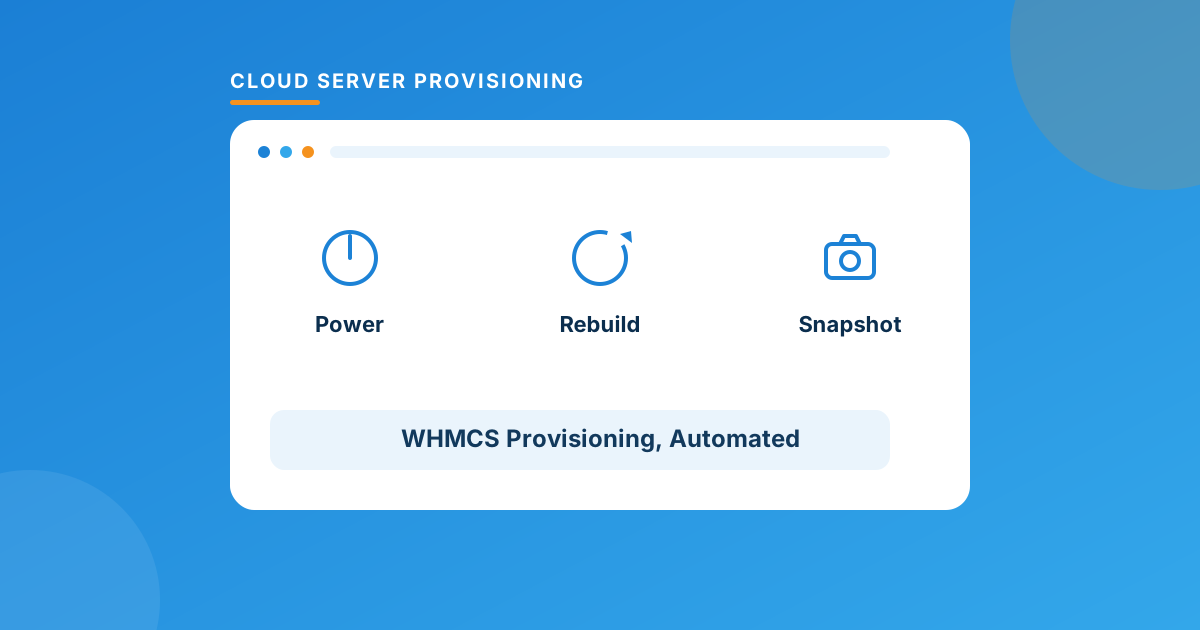
WHMCS has no native Contabo integration — you either provision by hand through Contabo’s own panel or install a dedicated module. The Contabo Server module for WHMCS automates create/suspend/terminate from the admin side and gives clients self-service power, rebuild, and snapshot controls, so orders provision themselves the moment payment clears.
Why Contabo Keeps Showing Up in Reseller Stacks
It’s a budget play, plain and simple. If you’re running a reseller business where margin is everything — think entry-level VPS plans, dev/test boxes, or small business hosting — Contabo’s price-per-core and price-per-GB numbers are hard to beat. The catch is that “cheap infrastructure” only stays profitable if it’s also cheap to *operate*. If someone on your team is logging into the Contabo customer panel by hand every time a $7/month VPS sells, you’re burning support hours on a product that can’t absorb them.
That’s not a knock on Contabo — it’s just the reality of any provider that doesn’t ship a first-party WHMCS connector. The automation has to come from somewhere else.
What the Module Actually Automates
I’ll say this every time I cover a provisioning module: I only credit it with what’s documented on its own page, not what “should” be there. Here’s what the Contabo Server module states it does.
On the admin side:
- Create, suspend, unsuspend, and terminate services straight from WHMCS
- Change password, restart, and shut down instances
- View server status, connection details, and network information
- Snapshot management — view, create, delete, and restore (VPS packages only)
- Rebuild the server with a chosen OS image
- View task and activity history for each instance
- Configure region, plan, and OS image at the product level
In the client area, customers get:
- Power on, power off, and reboot for their own instance
- Server status, details, and network information
- Snapshot management — view, create, delete, restore (VPS packages only)
- Self-service OS rebuild
Since v1.2.0 the module also ships configurable options, including a toggle for whether a script runs automatically during a reinstall — handy if you push a post-install hardening or panel-install script and don’t want it firing on every rebuild by default.
One honest caveat worth flagging: snapshot management is scoped to VPS packages, not every Contabo product type. If your catalog leans on dedicated or object storage SKUs, don’t assume snapshot buttons will show up there.
Manual Contabo vs. the Module
This is the comparison that actually matters when you’re deciding whether $7.50/month is worth it.
| Task | Doing It By Hand | Contabo Server Module |
|---|---|---|
| New order provisioning | Admin logs into Contabo, builds the instance, emails credentials | Fires automatically off the WHMCS order |
| Suspend for non-payment | Manual lookup + manual suspend in Contabo panel | Runs through WHMCS’s normal suspend cycle |
| Password reset / restart | Ticket → admin logs in → resets manually | One click from the WHMCS admin area |
| OS rebuild | Client opens a ticket and waits | Client does it themselves from the client area |
| Snapshots (VPS) | Contabo panel only | Create/restore from WHMCS, admin or client side |
Notice what’s missing from that “by hand” column: none of it is impossible, it’s just slow, and slow is what kills margin on a $7 product.
Where Contabo Fits in a Multi-Cloud Reseller Stack
Most resellers I talk to don’t run one cloud provider — they run two or three, matched to different price points and regions. Contabo tends to sit at the “cheap and cheerful” end. If your catalog needs to stretch further, WHMPress has the same admin/client automation pattern built for the other major providers: Hetzner Cloud for European price-performance, Vultr for global point-of-presence coverage, DigitalOcean for developer-friendly droplets, OVH when clients want dedicated hardware, and Linode/Akamai for its enterprise-backed cloud footprint. Same admin-area logic, same client-area self-service pattern, different provider underneath — which makes running two or three of these side by side a lot less painful than it sounds.
Getting It Running
The setup pattern is the same one you’d expect from any WHMCS provisioning module: drop the module files into your WHMCS installation, then head to the product’s Module Settings tab and enter your Contabo API credentials. From there you build a hosting product, set region/plan/OS as configurable options (or fixed per-product), and assign the module to it. Run a test order before you point real traffic at it — that’s true of every provisioning module, not just this one, and it’s the five minutes that saves you a 2am “why didn’t my VPS build” ticket.
Frequently asked questions
Does WHMCS have a built-in Contabo integration?
No. WHMCS doesn’t ship a native connector for Contabo or most third-party cloud providers — that automation has to come from a dedicated module like this one, or from custom API scripting.
Can clients rebuild their own server without contacting support?
Yes — OS rebuild is listed as a client-area action, so customers can reinstall their instance with a chosen image directly from their WHMCS account.
Does the module support snapshots on every Contabo product?
Snapshot management (view, create, delete, restore) is scoped to VPS packages per the module’s documentation — don’t assume it extends to every product type in your catalog.
What are the compatibility requirements?
WHMCS 8.7 through 9.0.3, PHP 8.1 through 8.4, ionCube Loader v13 or later, and the Six, Twenty-One, and Lagom themes.
The Bottom Line
Contabo’s pricing makes it an easy pick for margin-sensitive reselling, but margin-sensitive products are exactly the ones that can’t afford manual provisioning labor. If you’re going to sell Contabo VPS through WHMCS at any real volume, the Contabo Server module is what makes the math work — automated provisioning on your end, self-service on theirs.
Install the Contabo Server module and stop hand-building VPS instances every time an order comes in. Need it wired into a more complex product catalog or configurable-option setup? Our Custom WHMCS Development team builds that too.
Get the ModuleContabo Server for WHMCS
Automate Contabo VPS
Provisioning, suspend/terminate, password reset, OS rebuild, and VPS snapshots — automated in WHMCS with client-area self-service.
Get the Module View product details →Custom WHMCS Development
Bespoke Modules & Integrations
Need a module, gateway, or integration built around how your business runs? We build upgrade-safe, API-driven WHMCS solutions.
Get a Free Quote View services →