
Kickstart 2026 with Flat 10% OFF on all our premium modules and services!

WHMPRESS Hetzner Cloud Servers For WHMCS is a powerful solution designed to streamline the automation of provisioning and managing Hetzner Cloud virtual machines. With a wide variety of customizable options, your clients can easily order servers tailored to their individual needs and preferences. No longer will your customers need to leave your WHMCS platform to monitor the status of their virtual instances, rebuild them with a selected operating system, or access the remote console. The client area is equipped with features to manage automatic backups, handle network subnets, and create machine snapshots within predefined size limits. Additionally, clients can choose from Hetzner’s available ISO images to mount on their servers. On your end, you have full control over the product features, allowing you to define which options will be available in the client area, provide custom scripts to be executed during instance creation, and select the options your customers will have access to—all with ease.

Vultr Cloud Servers For WHMCS By WHMPRESS

Vultr Cloud Servers For WHMCS

This WHMCS provisioning module integrates Vultr VPS management directly into your WHMCS installation. It enables admins to create, manage, start, stop, rebuild, and delete instances, as well as view instance details — all without leaving WHMCS.

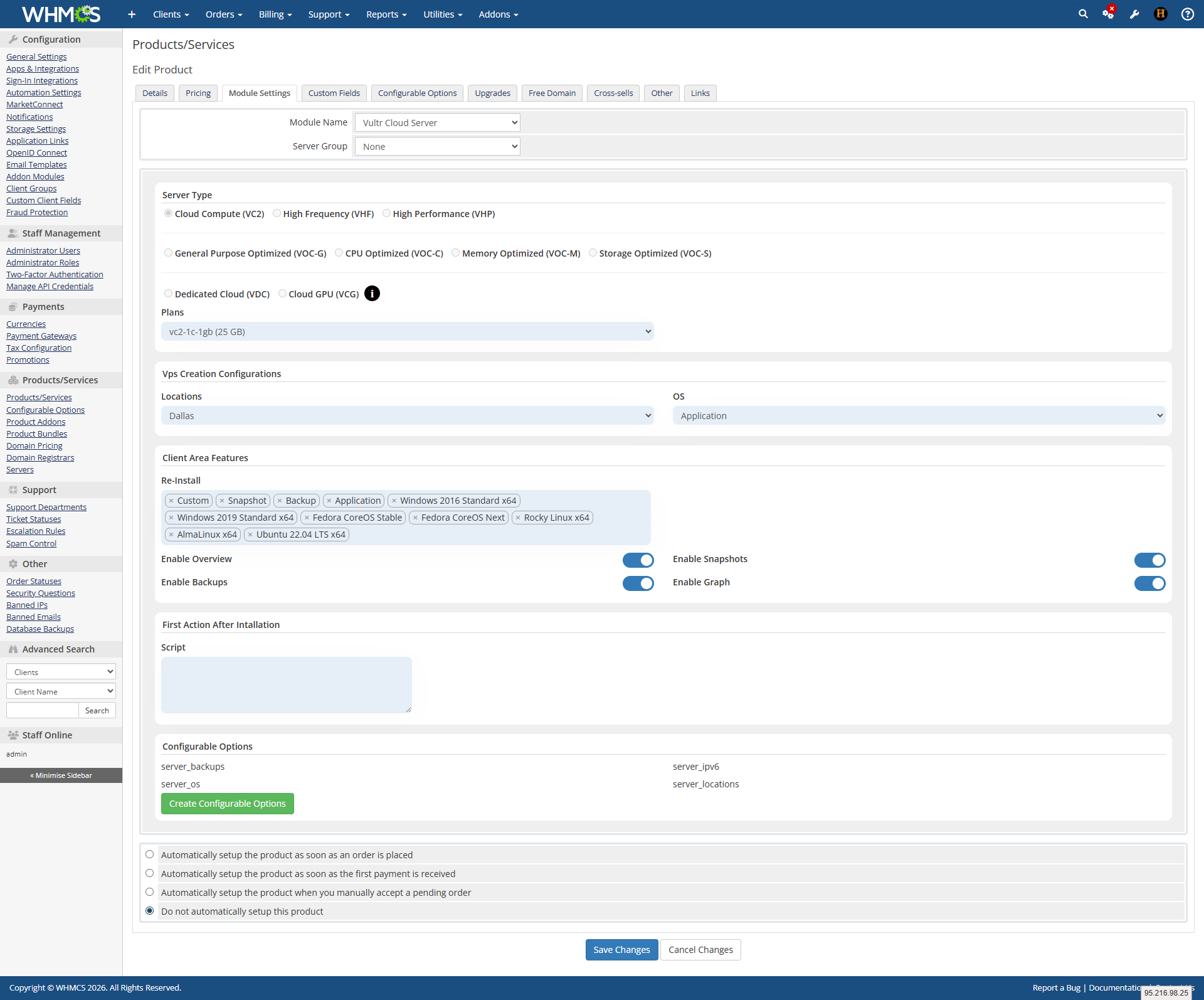
A script field is available in the product module settings, allowing admins to run a custom script immediately after instance creation.

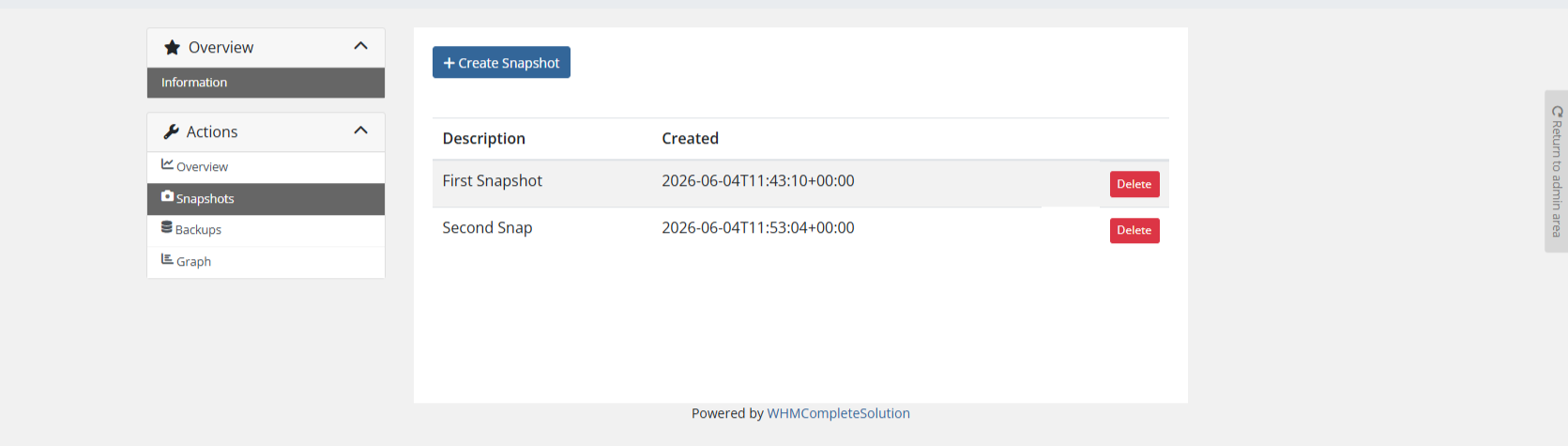
Clients can also perform key actions from the Client Area, including viewing auto backups, managing backup schedules, and handling snapshots via the service details sidebar. Vultr Cloud Server for WHMCS by WHMPress is an alternative to Vultr modules by other developers, offering full lifecycle management, client self-service, and seamless WHMCS integration.

Key Features of Vultr Cloud Server Module

Admin Area Features:
  • Create, Suspend, Unsuspend, and Terminate instances with full details
  • Configure Product Details, including Instance/Server Type, Location/Data Center, and OS
  • Choose features available in Client Area: Rebuild Server, Instance Details, Backups, Snapshots, Graph
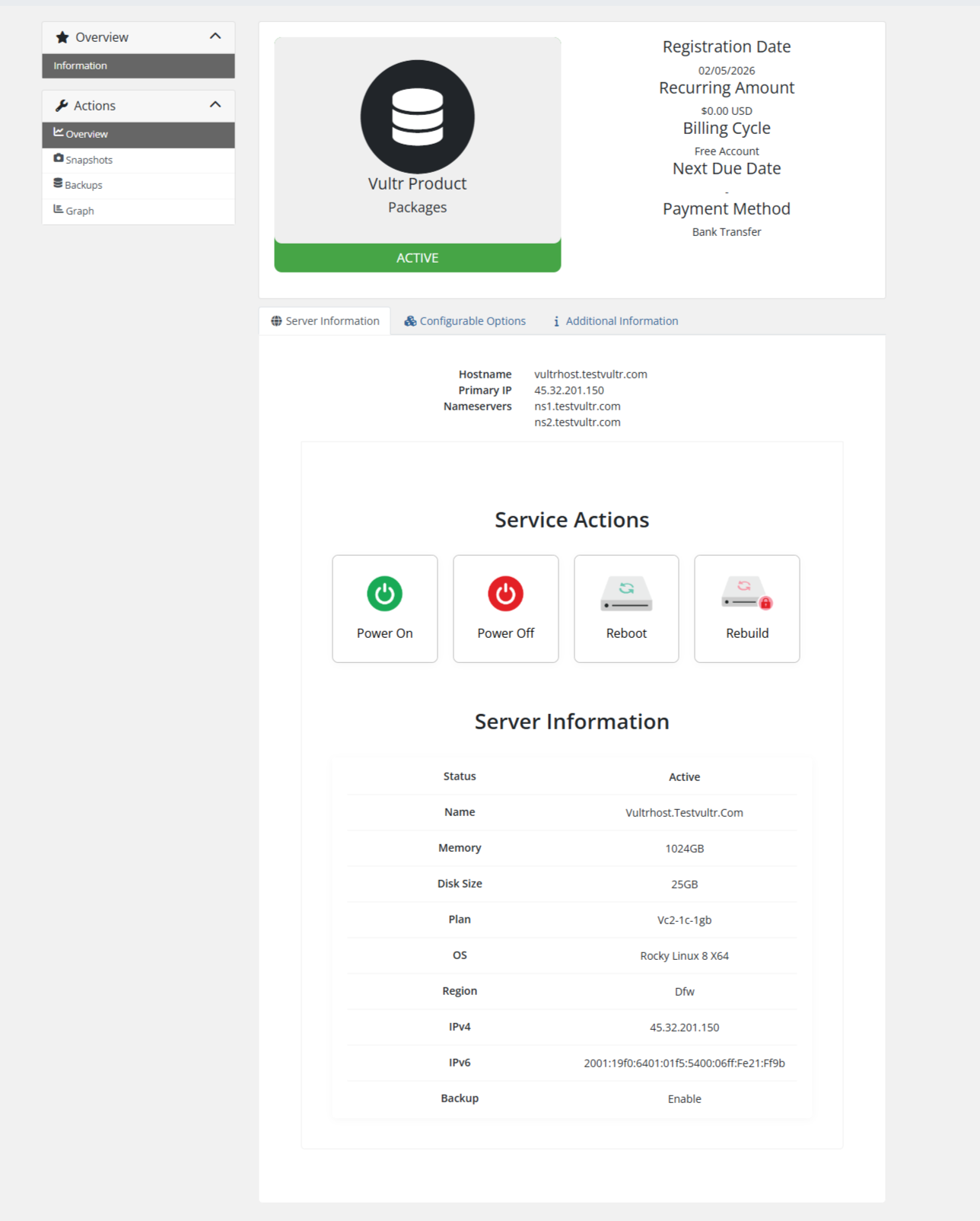
  • Power On, Power Off, Reboot Server, and Rebuild server instances
  • Dedicated Cloudflare pages: Overview, DNS, Cache, Security, Firewall, Analytics
  • View all hosting information, including Server Name, Status, Password, and Primary IP
  • Rebuild server OS with available images
  • List Auto Backups and manage backup schedules
  • Handle Snapshots directly from the client area
  • Locations
  • OS
  • Backup
  • IPv6

General Information:

  • WHMCS Versions: Fully compatible with versions 9.0.3 to 8.7

  • PHP Versions: Supports PHP 8.4, 8.3, 8.2, and 8.1

  • Themes Supported: Works with WHMCS themes such as Six, Twenty-One, and Lagom WHMCS Client Theme

  • System Requirement: Requires ionCube Loader v13 or later

Module Price

Monthly Price: 5$.

Annually Price: 29$.

OPEN-SOURCE VERSION $199 One-Time Price

Improved Client Experience:

Changelog – Vultr Cloud Module
Version 1.0.0 – Initial Release
Launch
  • Seamless integration of Vultr Cloud Servers with the WHMCS platform.
  • Effortless provisioning of Vultr virtual machines directly from the WHMCS interface.
  • Scalability options allow clients to easily adjust resources as needed.
  • Built-in security measures, including data encryption.
  • Clients can view instance bandwidth through interactive graphs.
  • Admins can add a custom script in the module settings, which will automatically run when a server is created.

One-Click VPS Provisioning on Order

Scenario: A client orders a VPS from your WHMCS store. Module automatically creates the Vultr instance with client’s chosen location, OS, and backup preference. Custom script runs instantly after creation. Login credentials sent via email.

Value: Fully automated deployment. Client gets their server in minutes, not hours.

Client Self-Service OS Rebuild

Scenario: A client wants to switch from Ubuntu to Debian. Logs into WHMCS client area → Rebuild Server → selects Debian from available images → module rebuilds the instance instantly. No admin involvement needed.

Value: Zero support tickets for OS changes. Clients have full control over their server.

Snapshot & Backup Management

Scenario: A client wants to backup before making risky changes. Goes to WHMCS client area → Snapshots section → creates a manual snapshot. Later, they restore from that snapshot in one click. Auto backups are also visible and manageable from the same interface.

Value: Complete disaster recovery self-service. No more “can you restore my backup?” tickets.

Real-Time Server Controls

Scenario: A client’s website is slow. They log into WHMCS → clicks Graph tab to view CPU and network usage. Sees high load → clicks Power Off → upgrades to larger plan via configurable options → clicks Power On again.

Value: Clients monitor and control everything from WHMCS. Support team handles only real emergencies.

See Also

Styled Text Addons
$29 One Time

Hosting Account Domain Changer

WHMPRESS Domain Changer Module enables users to automatically change their cPanel hosting account domain names directly within their client area on WHMCS. This user-friendly feature, similar
Styled Text Addons
$15 One Time

Domain Allocater For WHMCS

WHMPRESS Domain Allocator Module empowers clients to seamlessly assign any of their registered domains to selected cPanel hosting services directly from their client area interface. This
Styled Text Addons
$One Time

Bulk Pricing Update Server Module

The update_bulk_prices function updates prices for multiple products simultaneously by applying a percentage increase. It takes a dictionary of products and their prices, a percentage increase
