A support ticket lands at 11pm asking why an invoice hasn’t cleared. Normally that means logging into WHMCS, digging through payment history, maybe checking the gateway dashboard too. An MCP server sitting in front of WHMCS lets you skip the click-through entirely — you just ask, in plain English, from whatever AI tool you already have open, and get the answer back in one line.
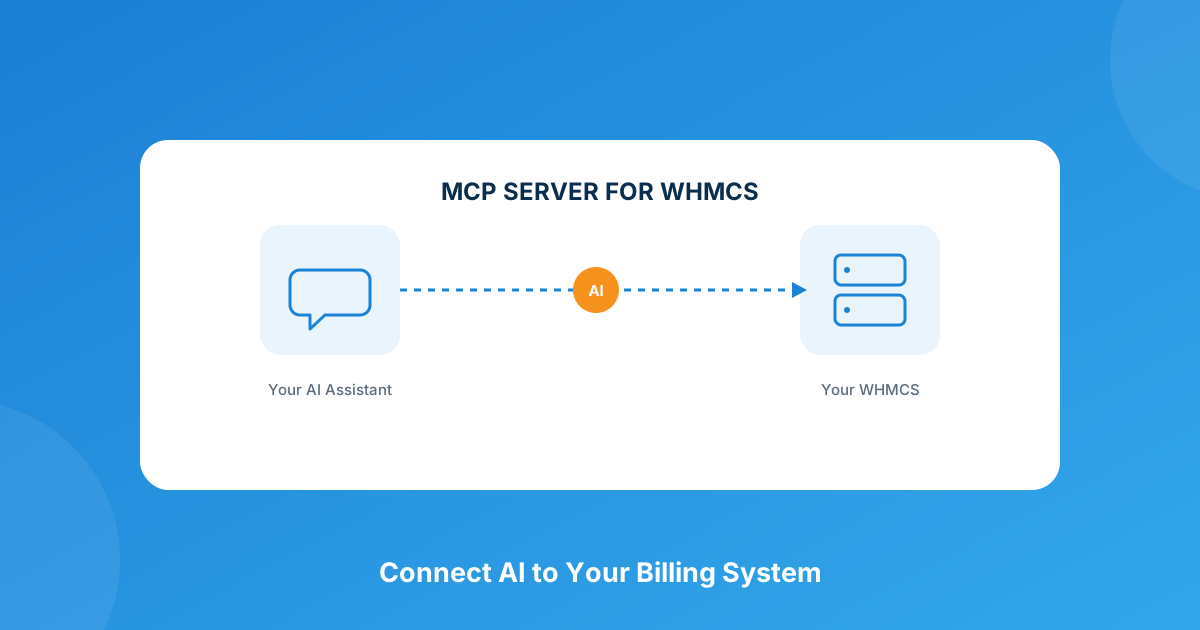
An MCP server for WHMCS is a bridge that lets AI assistants like Claude, ChatGPT, or Cursor read and act on your WHMCS data — clients, invoices, tickets, domains, services — through natural-language requests instead of the admin UI. The MCP Server for WHMCS module packages this as a self-hosted, audit-logged connector with 126 built-in tools covering nearly every corner of the platform.
What “MCP” Actually Means (It’s Not a WHMCS Acronym)
MCP stands for Model Context Protocol — a standard that lets an AI assistant plug into a piece of software the same way a USB port lets any device plug into any laptop. Before MCP existed, connecting an AI tool to WHMCS meant writing custom glue code for every single assistant you wanted to use: one integration for ChatGPT, a different one for Claude, another for whatever internal tool your dev team built. MCP replaces all of that with one standard interface. Build it once on the WHMCS side, and any MCP-compatible AI client can talk to it.
That’s the whole point of the protocol, and it’s why this isn’t a passing trend — it’s the same pattern that made REST APIs boring and universal twenty years ago, just applied to AI assistants instead of web apps.
What You Can Actually Do With It
Once the module is connected, the admin work that used to mean four or five clicks becomes a sentence. A few examples that map straight onto a normal support day:
- “Which clients are 60+ days overdue on their invoices?” — pulls the aging report instead of you filtering it manually
- “Suspend the hosting service on order #4521, they’re 45 days past due” — executes the suspension directly
- “What’s our MRR trend for the last quarter?” — runs the revenue calculation on demand
- “Register client47.com and point the nameservers to ns1/ns2.example.com” — handles the registration and DNS update in one request
- “Show me the top 10 clients by lifetime revenue” — instead of exporting a report and sorting it in a spreadsheet
None of this replaces judgment calls — refunds, cancellations, and anything client-facing still deserve a human look. But the lookup-and-execute grind that eats a support agent’s morning gets a lot shorter.
What’s Actually Inside the Module
The MCP Server for WHMCS module ships 126 tools spanning client and profile management, invoicing and payments, service provisioning and suspension, product and configurable-option management, full domain operations (registration, transfer, renewal, WHOIS, nameservers, EPP codes), and business-intelligence reporting like MRR, churn rate, and aging invoices. It connects to Claude Desktop, ChatGPT, Cursor, Windsurf, Cline, VS Code, and n8n out of the box.
| Plan | Price | Best for |
|---|---|---|
| Monthly | $7.50/mo | Testing it out before committing |
| Annual | $39/yr | Standing setup — roughly 56% cheaper than paying monthly |
| Lifetime | $199 one-time | Long-term use, includes 6 months of support |
| Open Source | $249 one-time | Teams that want to inspect or extend the code themselves |
Every plan includes a free trial (7-14 days), free updates, and — on the subscription tiers — lifetime premium support.
Security Matters More Than the Chat Interface
Handing an AI assistant the ability to touch billing data sounds risky until you look at how it’s actually wired. The module is self-hosted — it runs on your own server, so client records and financial data never leave your infrastructure to reach a third party. Authentication uses Bearer tokens with SHA-256 hashing (tokens carry a recognizable wmcp_ prefix so you can spot them in the admin area), and every executed tool call is logged with a timestamp, the client IP, the transport type, and the full JSON request. Access is granular too — you can restrict what a given token is allowed to touch and apply rate limiting on top, so a single compromised token doesn’t mean the whole system is exposed.
Practically, that means the sane rollout is the same one you’d use for any new integration: start with a restricted token, watch the audit log for a week, then widen access once you trust the pattern of what’s actually being requested.
Setup Requirements Before You Install
- WHMCS 8.7 through 9.0.4
- PHP 8.1, 8.2, 8.3, or 8.4
- ionCube Loader v13 or later
- Compatible with the Six, Twenty-One, and Lagom WHMCS themes
Free installation and configuration is included with purchase, so you’re not stuck debugging a PHP version mismatch on your own.
Where This Fits If You’re Already Automating WHMCS
An MCP server isn’t a replacement for the automation you’ve already got running — it’s a layer on top of it. If you’re using something like a pricing manager to keep plans consistent or abandoned cart recovery to catch drop-offs at checkout, those modules keep doing their job in the background. The MCP server just gives you (and your support team) a faster way to ask questions about what’s happening and step in when something needs a manual nudge. Browse the rest of the WHMCS module catalog if you’re building out a fuller automation stack, or talk to us about custom WHMCS development if you need tools connected to systems the module doesn’t cover yet.
Frequently asked questions
Does an MCP server replace the WHMCS admin area?
No. It runs alongside the admin UI, not instead of it. Bulk configuration, template edits, and anything not exposed as one of the 126 tools still happens the normal way — the MCP server just handles the day-to-day lookups and actions that used to require logging in.
Is it actually safe to let an AI assistant touch billing data?
It’s designed with that concern in mind: self-hosted deployment, Bearer-token authentication with per-token permission limits, rate limiting, and a full audit log of every request. The main risk isn’t the module’s security model — it’s giving a token broader access than you’ve actually reviewed. Start restricted and widen access as you build confidence.
Which AI tools does it actually work with?
Claude Desktop, ChatGPT, Cursor, Windsurf, Cline, VS Code, and n8n are supported directly, and it’s compatible with the wider ecosystem of MCP clients since it speaks the standard protocol rather than a proprietary one.
What if I’m not running the latest WHMCS version?
It supports WHMCS 8.7 through 9.0.4, so most installations that are reasonably up to date are covered. Just confirm your PHP version (8.1-8.4) and that ionCube Loader v13+ is installed before you buy.
The bottom line
If your team spends real time each week just looking things up in WHMCS — overdue invoices, service status, domain expirations — an MCP server turns that lookup time into a sentence. It’s not magic and it doesn’t replace the judgment calls that come with running a hosting business, but for the repetitive half of admin work, it’s a genuinely useful shortcut. Try it on a restricted token first and see how much of your week it actually saves.
Connect Claude, ChatGPT, or Cursor to your WHMCS install with the MCP Server module — or if you need something wired to a system it doesn’t cover yet, our team builds custom WHMCS integrations from scratch.
Get the MCP Server ModuleMCP Server for WHMCS
AI ⇄ Billing Bridge
Connect Claude, ChatGPT, or Cursor directly to your WHMCS install — 126 tools, self-hosted, fully audit-logged.
Get the Module View product details →Custom WHMCS Development
Bespoke Modules & Integrations
Need a module, gateway, or integration built around how your business runs? We build upgrade-safe, API-driven WHMCS solutions.
Get a Free Quote View services →