Every few weeks someone in a hosting Facebook group asks the same question: “is it worth paying for a WHMCS module, or should I just find a free one?” And every time, the replies talk past each other, because nobody’s actually asking about price. They’re asking about risk.
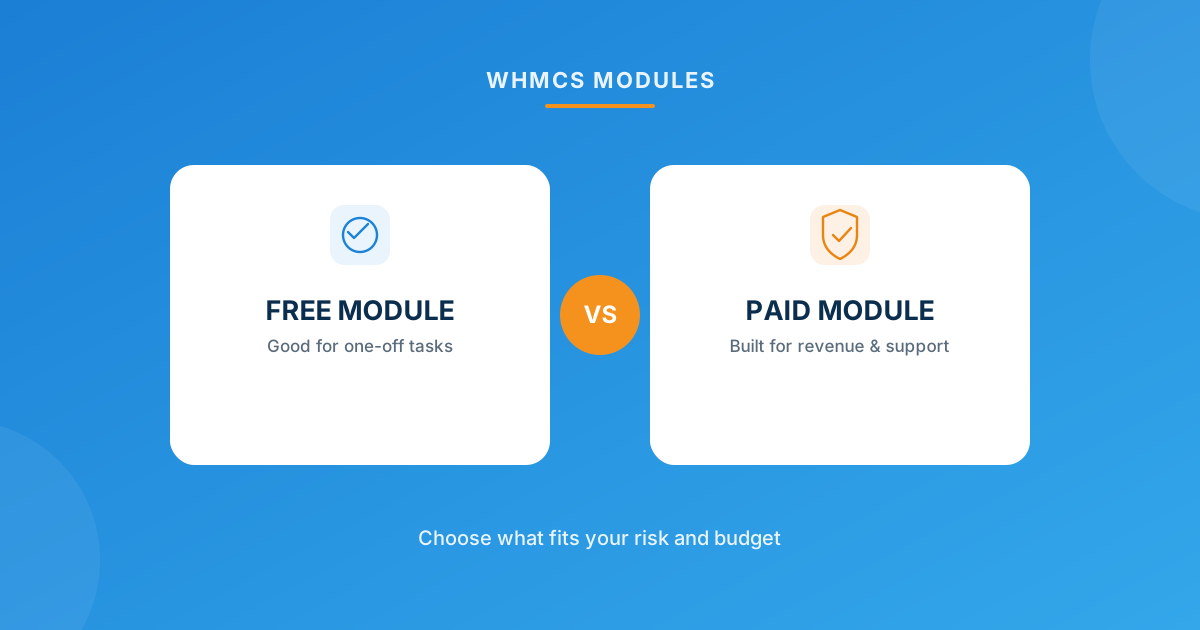
Free WHMCS modules are the right call for narrow, low-stakes admin tasks — think password resets or a blacklist check. Paid modules earn their fee the moment the job touches revenue, client trust, or ongoing support, because that’s where “free” quietly gets expensive. Browse the full range of WHMCS modules to see where your use case actually lands.
Price Was Never the Real Variable
I’ve watched hosts agonize over a $5/month module fee and then lose $300 a month to abandoned carts nobody ever followed up on. That’s the trap with “free vs paid” — it frames the decision as a budget line item, when it’s actually a question about who’s on the hook when something breaks.
A free module means: no vendor SLA, no guaranteed update cadence, and support that’s usually a forum post or a “best effort” community reply. A paid module means: someone gets paid to keep it working when WHMCS ships a new version, and someone answers your ticket when a client’s payment method stops syncing at 11pm on a Friday. That’s the actual trade you’re making — not $0 versus $5.
When a Free Module Is Genuinely the Right Call
Free isn’t a compromise everywhere. For a specific class of task, it’s the correct engineering decision, full stop:
- The task is internal and low-frequency. A client password reset tool runs the same simple logic every time — send a secure link, reset the password, log it. There’s not much surface area for something to quietly go wrong at scale.
- It’s a monitoring/checker utility, not a transaction path. A server IP blacklist checker just reports status back to you. If it fails silently for a day, the cost is “you find out a day later” — not a lost sale or an angry client.
- You have in-house capacity to patch it yourself. If a WHMCS core update breaks a free module’s compatibility and you (or someone on staff) can open the code and fix the one broken function call, the “no vendor support” risk mostly disappears.
Notice what these have in common: nothing here directly generates or protects revenue. That’s the pattern worth remembering more than any specific module name.
When Paying Actually Saves You Money
Flip the criteria and the math flips with it. Take cart recovery. A dedicated abandoned cart module runs around $5/month or $29/year, with three configurable reminder emails and a dashboard that tells you exactly how many carts you’ve recovered. If that automation reclaims even one $10/month hosting signup a month, it’s paid for itself many times over — and it keeps doing that every month without anyone touching it.
Or take a workflow that touches your whole admin experience. An MCP server for WHMCS lets you query clients, invoices, and services in plain language from an AI assistant instead of clicking through six admin screens per lookup — at roughly $7.50/month. Multiply the minutes saved per support ticket by however many tickets your team handles a week, and the “expensive” paid tool is usually the cheaper option once you count labor hours.
The pattern here: paid modules pull ahead once you’re measuring against a real cost — lost carts, staff time, a broken client-facing flow during a busy renewal week — rather than against nothing.
Do the Math, Not the Vibe
| Question | Leans free | Leans paid |
|---|---|---|
| Does it touch money or billing state? | No | Yes |
| Is it client-facing? | No, admin-only | Yes |
| How often does it run? | Occasionally | Constantly, in the background |
| What happens if it silently breaks? | Minor inconvenience | Lost revenue or a support ticket |
| Who fixes it after a WHMCS update? | You, eventually | The vendor, usually same-week |
The Hidden Cost of “Free”
Free modules aren’t free if you count your own time. I’ve seen hosts spend three hours on a Saturday debugging a free module that silently stopped working after a WHMCS point release, because there was no changelog, no support ticket queue, and no guarantee anyone was still maintaining it. That’s not a knock on free tooling in general — WHMPress ships genuinely free modules too, like the password reset tool and the blacklist checker above, both with premium support and free updates included. The risk is specifically with free-and-unmaintained code from nowhere in particular, not “free” as a category.
Ask two questions before installing any free module: who maintains it, and what happens the week WHMCS pushes a core update. If you can’t answer both, budget the time to fix it yourself — because eventually you will need to.
The Hidden Cost of Overpaying
Paid isn’t automatically smarter, either. I’ve audited installs running four separate paid modules that each did a sliver of what one custom-built integration could’ve handled for the same recurring spend — plus the license-renewal admin overhead of tracking four separate expiry dates instead of one. If you’re stacking paid modules to bend WHMCS into a workflow it wasn’t built for, at some point custom development stops being the “expensive” option and becomes the cheaper one, because you’re no longer paying for five things you don’t fully use.
A Simple Framework for the Next Decision
Skip the spreadsheet. Ask these three questions in order:
- Does this touch client trust or revenue? If yes, default to paid — the support guarantee is the product, not the code.
- Will it need to survive the next three WHMCS updates without your attention? If yes, pay for maintenance, whether that’s a subscription module or a support retainer.
- Is this a one-off, internal, low-frequency task? If yes, a well-reviewed free module is the right, boring answer — don’t overpay for simplicity.
Most hosts end up running a mix — a couple of free utilities for internal admin work, a handful of paid modules where money or clients are on the line, and the occasional custom build where nothing off the shelf fits the workflow. That’s not indecision. That’s the correct outcome.
Frequently asked questions
Are free WHMCS modules safe to run in production?
Some are — it depends entirely on who built and maintains it, not on the price tag. A free module from an established vendor with a support channel and update history is fine for low-stakes admin tasks. A free module from an unclear source with no changelog is the one to avoid, regardless of what it does.
What does a paid module actually cost over a year?
Add up the subscription (commonly $5–$49/month depending on scope) plus any setup fee, then subtract the time you’d otherwise spend maintaining a free equivalent yourself. For anything client-facing, most hosts find the subscription is cheaper than the labor it replaces.
Can I run free and paid modules side by side on the same WHMCS install?
Yes, and most hosting businesses do exactly that. There’s no conflict in mixing them — the decision is per-task, not all-or-nothing for your whole install.
When should I skip both and go custom instead?
When you’re stacking three or more paid modules to approximate one workflow, or when your process is specific enough that no off-the-shelf module fits without awkward workarounds. At that point, a custom WHMCS build usually costs less than the module sprawl it replaces.
The bottom line
Stop asking “free or paid” and start asking “what happens if this breaks and nobody’s watching.” Answer that per task, and the free-vs-paid decision makes itself. If you want to see the actual range of options before you decide, the full WHMCS module catalog is the fastest way to compare.
Browse the full WHMCS module marketplace, or if nothing off the shelf matches your workflow, our team builds upgrade-safe custom modules and integrations instead.
Talk to Custom DevMCP Server for WHMCS
AI-Powered Billing Ops
Run WHMCS from plain-English commands in Claude, ChatGPT, or Cursor — 126 native tools for clients, billing, and services, fully self-hosted.
Get the Module View product details →Custom WHMCS Development
Bespoke Modules & Integrations
Need a module, gateway, or integration built around how your business runs? We build upgrade-safe, API-driven WHMCS solutions.
Get a Free Quote View services →