
If you’re running an IPTV reseller business on top of WHMCS, you already know the panel side and the billing side don’t talk to each other on their own — and that gap turns into a mountain of manual work fast. Someone pays an invoice, and now you’re logging into a separate panel to create a line, copy a MAC address, or reset a password by hand. Do that fifty times a week and it stops being a side hustle and starts being a second job.
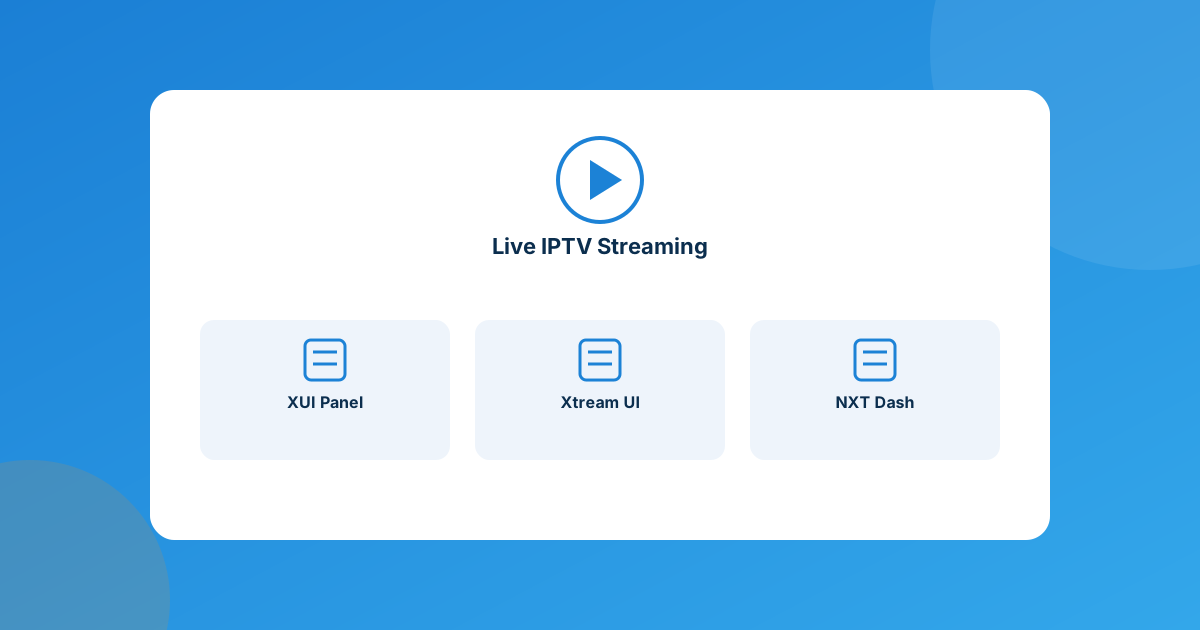
The right whmcs iptv module depends on which panel software you already run: XUI IPTV Panel for XUI/XUI ONE streaming servers, Xtream UI for Xtream UI/Xtream Codes-based panels, and NXT IPTV for NXT Dash. Each one connects WHMCS billing directly to your panel’s API so accounts get created, suspended, and renewed automatically — pick by panel, not by feature list.
Why manual IPTV provisioning breaks down fast
WHMCS has no native concept of an IPTV line — no built-in field for a MAC address, no “create stream” button, nothing. That’s fine when you have five clients and you’re doing it as a favor for friends. It stops being fine once you’re running this as an actual business. The pain points are always the same three:
- Support tickets pile up around MAC address changes. Clients switch devices constantly, and every switch is a manual edit on your end unless there’s a self-service option.
- Revenue leaks through late or failed payments. If suspension isn’t automatic, a client who doesn’t pay keeps streaming — sometimes for weeks — because nobody remembered to log into the panel.
- Your billing records drift from your panel records. An invoice says “active,” the panel says “expired” (or the other way around), and now you’re manually reconciling two systems that were never meant to talk to each other.
An automation module closes that gap by making WHMCS the single source of truth: pay an invoice, get a working line; miss one, get suspended; cancel, get terminated — without you touching the panel.
3 WHMCS modules built for IPTV reseller panels
These aren’t competing for the same job — each targets a different panel, so the “best” one for you is whichever matches the software you’re already running.
1. XUI IPTV Panel
XUI IPTV Panel automates provisioning directly against XUI streaming servers. Create, suspend, unsuspend, renew, and terminate all run through the API, and setup includes a connection test so you know the link is live before a client ever orders. Per-product configuration covers line types, trial packages, channel groups, region, and bandwidth allocation, so you’re not stuck with one generic package for every plan you sell.
The client area is the strong point here: separate tabs for server overview, channel lists, user access and concurrent sessions, live stream health, EPG, allowed devices, access logs, and self-service package upgrades. That’s a lot of ground covered without a single support ticket.
2. Xtream UI
Xtream UI is built for panels running the Xtream UI/Xtream Codes engine, and it supports multiple panels running side by side from one WHMCS dashboard — useful if you’ve scaled across more than one server. Beyond the standard create/suspend/unsuspend/terminate cycle, it auto-renews on the panel the moment an invoice gets paid and includes a “sync expiry” button to pull the real expiry date straight from the panel when something looks off.
Clients get a self-service credentials panel (server URL, username, password, with a copy button), one-click M3U / M3U Plus playlist downloads, an XMLTV EPG link, and a live view of their connection usage. The client area is translated into 26 languages and adapts to light/dark themes, which matters if you’re selling to an international client base.
3. NXT IPTV
NXT IPTV connects WHMCS to NXT Dash panels with the same create/suspend/unsuspend/terminate automation as the other two, plus real-time status sync so your WHMCS records and your NXT Dash records never drift apart. The standout feature is letting clients manage their own MAC address and update their own password from the client area — the single most common IPTV support request, handled without a ticket.
| Module | Built for | Automates | Starting price |
|---|---|---|---|
| XUI IPTV Panel | XUI / XUI ONE panels | Full lifecycle + channels, EPG, devices, logs | $7.50/mo, $29/yr, $75 lifetime |
| Xtream UI | Xtream UI / Xtream Codes panels | Full lifecycle + playlists, EPG, multi-panel | $7.50/mo, $59/yr, $75 one-time |
| NXT IPTV | NXT Dash panels | Full lifecycle + self-service MAC/password | $7.50/mo, $29/yr, $149 lifetime |
What actually changes once it’s automated
The feature lists matter less than what they add up to day-to-day. Once one of these modules is wired in:
- New clients get a working line within seconds of paying, not within however-long-it-takes-you-to-log-in.
- Non-payment stops being a revenue leak, because suspension is automatic instead of “whenever I notice.”
- MAC address and password changes — the single biggest source of IPTV support volume — become a self-service click instead of a ticket in your queue.
- You stop maintaining two truths. WHMCS and the panel agree, because one is driving the other.
How to pick between them
This one’s simple: match the module to the panel you’re already running (or planning to run). Don’t switch panel software just to fit a module — all three do the same core job of turning a paid invoice into a live, billed, self-service IPTV line. Where they differ is depth of client-area tooling (XUI leans deepest, with logs and device management built in) and licensing flexibility (each offers monthly, annual, and one-time/open-source tiers, so a small reseller and a larger operation can both find a fit).
Frequently asked questions
Does WHMCS support IPTV billing natively?
No. WHMCS has no built-in IPTV fields or provisioning logic — it’s a general billing platform. A dedicated module is what bridges WHMCS to your panel’s API for account creation, suspension, and renewal.
Which WHMCS IPTV module should I install?
Whichever matches your panel software: XUI IPTV Panel for XUI/XUI ONE, Xtream UI for Xtream UI/Xtream Codes panels, or NXT IPTV for NXT Dash. The panel you already run decides the module, not the other way around.
Can clients manage their own MAC address or device changes?
With NXT IPTV, yes — clients can update their MAC address and password directly from the client area, which is usually the biggest single source of IPTV support tickets.
Is a one-time license cheaper than monthly billing long-term?
It depends on how long you plan to run the module. All three offer monthly, annual, and one-time (or open-source) tiers — if you expect to run the module for years, the one-time license usually works out cheaper; if you’re testing the business model, start on monthly or the trial.
The bottom line
An IPTV reseller business lives or dies on how little manual work each subscription costs you. WHMCS won’t do that automation on its own — it needs a module that speaks your panel’s API. Match XUI IPTV Panel, Xtream UI, or NXT IPTV to whatever panel you’re already running, and the create-suspend-renew cycle stops being your job.
If your IPTV panel isn’t XUI, Xtream UI, or NXT Dash, our Custom WHMCS Development team can build a bespoke integration around your panel’s API. Or browse the rest of the WHMCS module marketplace for other automation you might be missing.
Get a Free QuoteWHMCS Module Marketplace
Dozens Of Ready Automations
Browse every WHMPress WHMCS module in one catalog — IPTV panel automation, payment gateways, server provisioning, and more.
Browse All Modules View the full catalog →Custom WHMCS Development
Bespoke Modules & Integrations
Need a module, gateway, or integration built around how your business runs? We build upgrade-safe, API-driven WHMCS solutions.
Get a Free Quote View services →