
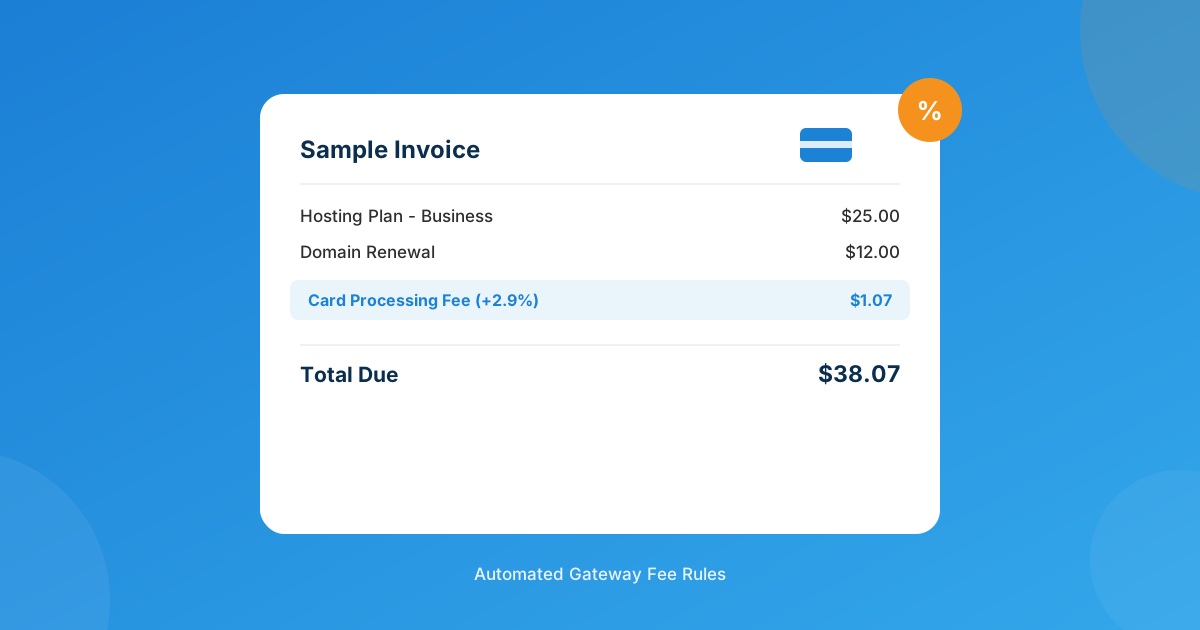
Card processing eats somewhere between 2.5% and 3.5% of every invoice you collect through WHMCS, and if you’re quietly absorbing that on every renewal, it’s coming straight out of your margin, month after month. The fix most hosts eventually land on isn’t raising prices for everyone — it’s charging a small, disclosed fee only to the clients whose payment method is actually costing you money.
Yes — with a gateway fee module, you can add a percentage or flat surcharge to specific WHMCS payment methods (card, PayPal) while leaving bank transfer or crypto fee-free, show the charge as its own invoice line item, and exclude specific clients from ever seeing it. The Payment Gateway Transaction Fees module does exactly this without you touching a line of gateway code.
Why quietly absorbing card fees hurts more than it looks like
Run the numbers on a mid-size hosting book: 800 active clients, average invoice $28, most paying by card. At a typical 2.9% + $0.30 processor rate, that’s roughly $1.11 per invoice gone before you’ve paid for a server, a support ticket, or your own time. Multiply that across twelve renewals a year and you’re looking at over $10,600 in processing costs alone — money that never shows up as a line item anywhere, so nobody ever questions it.
Raising prices across the board “fixes” this on paper, but it punishes the clients who already pay by bank transfer or crypto — the ones costing you nothing extra. A gateway-specific fee is the more honest fix: the people generating the cost cover it, everyone else doesn’t.
What a proper WHMCS transaction fee needs to do
Bolting a flat “processing fee” product onto every invoice is the crude version of this, and it breaks the moment a client pays a different way than expected. A real implementation needs to:
- Apply per gateway or payment method — not as a blanket charge on every invoice regardless of how it gets paid.
- Support both a percentage (for card-type fees that scale with the invoice) and a flat fee (for a fixed per-transaction cost).
- Show up as its own labeled line item, not silently baked into the total — clients should never wonder why the number changed.
- Let you whitelist specific clients so long-term or high-value accounts never see the charge.
- Handle VAT/tax correctly — decide up front whether the fee itself is taxable in your jurisdiction.
Trying to hand-roll this with a hooks file and a support ticket every time a client complains gets old fast. It’s exactly the kind of narrow, repetitive logic a purpose-built module handles better than custom code you have to maintain yourself.
Three ways hosts actually handle this
Before settling on a fee module, it helps to see it against the alternatives most hosts try first.
| Approach | Client experience | Effort | Risk |
|---|---|---|---|
| Absorb the cost | Nobody notices anything | Zero setup | Margin quietly shrinks every renewal |
| Raise all prices | Everyone pays more — even bank-transfer clients who cost you nothing extra | One-time price update | Loses price-sensitive clients who didn’t need to be affected |
| Per-gateway surcharge | Only card/PayPal payers see a small, labeled fee | ~15 minutes to configure a fee module | Must disclose properly and stay within card-network caps |
Setting it up with the Payment Gateway Transaction Fees module
The Payment Gateway Transaction Fees module is built specifically for this — percentage or fixed surcharges per gateway, discounts for preferred payment methods, client exclusion rules, and fee rules you can copy between gateways instead of rebuilding them each time.
- Install and activate the module in WHMCS, then open its settings page to see your active gateways listed.
- Build a fee rule — pick a gateway (e.g., Stripe or PayPal), choose percentage or flat, and set the rate. You can also configure a discount rule the same way for a gateway you’d rather clients used, like Bank Transfer Plus.
- Decide on exclusions and tax — whitelist any clients who should never see the fee, and set whether the fee amount is subject to VAT in your checkout.
- Test on a sandbox invoice before it goes live — confirm the fee line item renders correctly at checkout and on the PDF invoice, and that the total matches what you expect.
If your setup needs something the module doesn’t cover out of the box — tiered fees by invoice amount, a fee that varies by product type, or integration with a gateway that isn’t natively supported — that’s a job for custom WHMCS development rather than forcing a general-purpose module to do something it wasn’t built for.
Is charging a surcharge even legal?
In most US states, yes — provided the fee doesn’t exceed your actual cost of acceptance and you disclose it clearly before checkout, not buried in fine print. Card network rules cap it further: Visa allows up to 3%, Mastercard up to 4%, whichever is lower than your real processing cost. Connecticut, Massachusetts, and Maine currently prohibit surcharging outright, and a handful of other states or provinces layer on stricter disclosure requirements. Debit card surcharges aren’t permitted anywhere in the US, so a well-built fee rule needs to target card-type gateways specifically, not “every non-cash payment.” None of this is legal advice — check the current rules for your state or country before you flip the switch, since they shift more often than most billing software does.
When a flat fee beats a percentage (and vice versa)
A percentage fee tracks the real cost of card acceptance more accurately — it scales with the invoice, so a $200 order carries a proportionally bigger fee than a $10 one, matching what the processor actually charges you. A flat fee is simpler to explain to clients and works better for gateways with a fixed per-transaction cost rather than a percentage-based one. Most hosts running a mixed catalog — hosting plans, domains, one-off services — end up using a percentage for card gateways and reserve flat fees for anything with its own fixed processing cost, like certain regional payment methods.
Frequently asked questions
Is it legal to charge a credit card surcharge in WHMCS?
In most US states, yes, as long as the fee is capped at your real processing cost (and within the 3%/4% Visa/Mastercard limits) and disclosed clearly before checkout. Connecticut, Massachusetts, and Maine currently ban it outright, and rules vary by country — verify your local requirements before enabling any surcharge.
Can I charge a fee on some gateways but not others?
Yes — that’s the point of using a proper fee module instead of a blanket price increase. You build a rule per gateway, so card payments carry a fee while a fee-free option like Bank Transfer Plus stays untouched.
Will clients see the fee before they pay?
With the module active, yes — it displays on the checkout page and appears as its own labeled line item on the invoice, so clients see exactly what they’re being charged and why.
Can I exclude specific clients from the fee?
Yes — client exclusion rules let you whitelist accounts so your best or longest-standing customers never see the surcharge, even on a gateway where everyone else does.
The bottom line
Absorbing card fees forever isn’t a strategy, it’s just a slow leak in your margin. A gateway-specific fee, set up properly and disclosed clearly, recovers that cost from the transactions actually generating it instead of taxing every client equally. Get the rules right — per-gateway, visible, with sane exclusions — and most clients barely notice; the ones who do already understand why card processing costs something.
The Payment Gateway Transaction Fees module sets this up in minutes. Need fee logic it doesn’t cover out of the box — tiered rates, product-specific rules, an unsupported gateway? Our custom WHMCS development team builds it around how you actually bill.
Get the Fee ModulePayment Gateway Transaction Fees
Smart Gateway Surcharges
Add percentage or fixed fees per payment gateway, show them as a clear invoice line item, and exclude any client you choose.
Get the Module View product details →Custom WHMCS Development
Bespoke Modules & Integrations
Need a module, gateway, or integration built around how your business runs? We build upgrade-safe, API-driven WHMCS solutions.
Get a Free Quote View services →