
I’ve watched hosts install a dozen WHMCS modules in one afternoon and still be using maybe three of them six months later. The rest get a “we’ll configure that later” and rot in the addons list. The modules that actually earn their keep all do one thing well: they take a task a human used to do by hand — spinning up a server, chasing a password reset, hunting down a failed payment — and make it happen without anyone touching a support ticket.
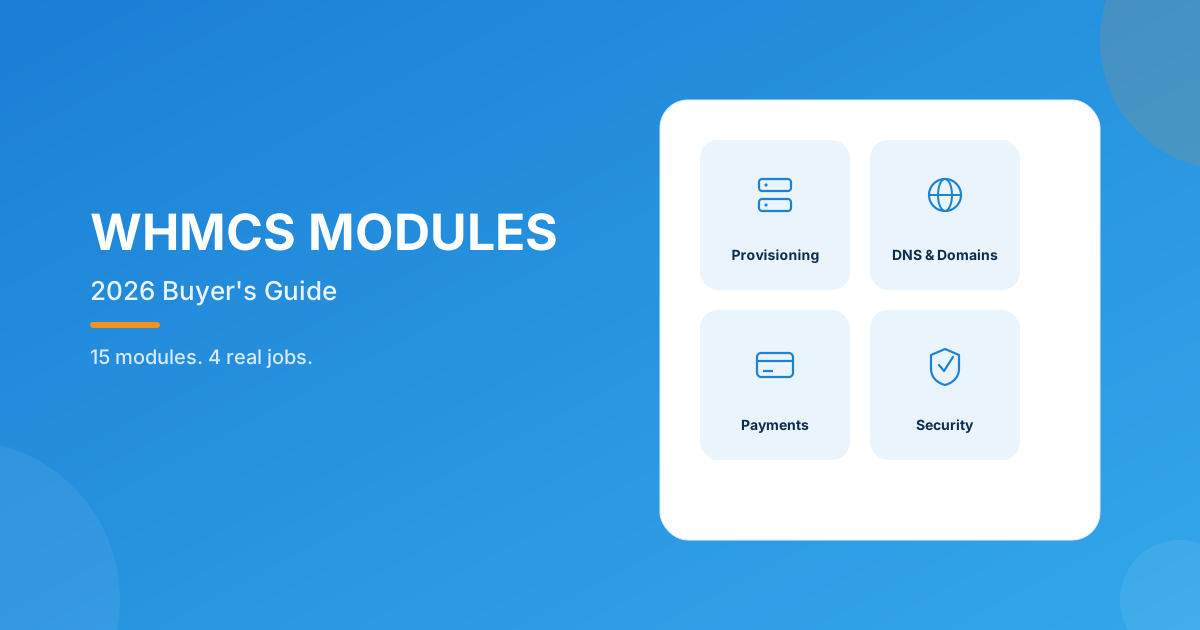
The best WHMCS modules for 2026 aren’t the ones with the longest feature list — they’re the ones that remove one specific manual step from your day. Our picks below split into four jobs: provisioning, domain/DNS self-service, payment protection, and account security. Browse the full lineup in the WHMCS module marketplace.
Why “best” depends on where you’re bleeding time
Every hosting business bleeds time in a different spot. A reseller running twenty clients on shared hosting cares about not typing the same order twice. Someone provisioning fifty VPS a month cares about not manually creating servers on four different provider dashboards. A billing-heavy shop cares about the invoice that never gets paid because the client forgot their password. None of these hosts need the same module first — which is why the fifteen below are grouped by the job they do, not stacked into one ranked list.
Provisioning modules that end manual server setup
If you sell VPS or dedicated servers, this is where WHMCS modules pay for themselves fastest. Each one below wires order provisioning straight into the provider’s API, so paying an invoice actually creates (or kills) the server — no admin logging into a second dashboard to do it by hand.
- Hetzner Cloud Server Module — full admin lifecycle control (create/suspend/terminate) plus client-side power controls, password resets, backup restores, and ISO rebuilds. Starts at $5/month, or $149 once for the open-source build with lifetime premium support.
- Vultr Cloud Servers — the same lifecycle automation, plus client-managed snapshots, bandwidth graphs, and dedicated Cloudflare DNS/cache/firewall tabs right inside the client area.
- DigitalOcean for WHMCS — droplets provision the moment an invoice clears, with clients managing their own volumes and snapshots inside limits you set.
- OVH VPS & Dedicated Server — covers 35+ OS images across 11 data centers, with full power controls and console access handed to the client.
- Linode (Akamai Cloud) Server Module — the deepest client area of the bunch: overview, snapshots, backups, IPs, disks, SSH keys, NodeBalancers, and live performance graphs, all auto-billed against payment status.
Domain and DNS modules that get clients out of your queue
Domain tickets are some of the most repetitive support requests a host handles — “can you point this at my new server” or “can I add another domain to my account.” These three modules push that work onto the client, safely.
- Cloudflare DNS Manager — auto-creates a Cloudflare zone on provisioning, then lets clients edit DNS records, SSL/TLS settings, and cache rules themselves, right down to WAF firewall rules and query analytics.
- Domain Allocator for WHMCS — clients attach, park, or redirect domains onto their own cPanel/Plesk hosting account straight from WHMCS, with every change logged for you.
- Domain Reseller for WHMCS — turns a client into a domain reseller on purchase, with their own dashboard, per-group TLD pricing, and a full registration/transfer/renewal API.
Payment and pricing modules that protect revenue
This is where the money actually leaks out of a hosting business — carts that never get finished, invoices nobody can pay because they’re locked out, and pricing that hasn’t been touched since a supplier’s costs went up.
- Payment Gateway Transaction Fees & Charges — add a percentage or fixed surcharge per payment method (or a discount to nudge clients toward the cheaper one), with per-client exceptions and multi-tier rules by invoice amount.
- Discount Center for WHMCS — build discount groups by client status, cart contents, or ownership history, plus volume/bulk pricing thresholds, from a single AJAX admin dashboard.
- Guest Invoice Login — generates a secure, trackable link so clients can pay an invoice without logging in at all, which matters more than you’d think for the client who forgot their password mid-renewal.
- Product Pricing Manager for WHMCS — push a percentage price change across products, addons, or specific TLDs, currencies, and billing cycles in one bulk action instead of editing each product by hand.
Security and onboarding modules worth adding
The last three deal with the two things that quietly cost the most support hours: fake signups and forgotten passwords.
- Client Password Reset Module — reset a client or sub-account password (and email them the recovery link) straight from the admin area, with an auto-generate option built in.
- Email Verification Extended — blocks order processing until the client verifies a code sent to their inbox, and can require OTP on registration and login too — a real dent in spam signups.
- Abandoned Cart for WHMCS — captures the cart the moment someone bails at checkout, then runs up to three scheduled recovery emails with a dashboard showing pending vs. recovered totals.
| Category | Job it does | Pick it if… |
|---|---|---|
| Provisioning | Auto-creates and manages the server on order | You sell VPS or dedicated hosting |
| Domain & DNS | Client self-service without a ticket | Domain/DNS requests eat support time |
| Payment & pricing | Protects margin, cuts manual pricing work | Fees, discounts, or repricing are manual today |
| Security & onboarding | Cuts fraud and password tickets | Spam signups or reset requests are frequent |
How to actually choose (instead of installing all fifteen)
Install one module against your biggest current bottleneck, run it through a full billing cycle, then decide what’s next. Stacking five new automations at once means that when something misbehaves, nobody can tell which module is responsible. Also worth checking before you buy: most of the modules above support WHMCS 8.7 through 9.0.3 on PHP 8.1–8.4 with ionCube Loader v13+, built for the Six, Twenty-One, and Lagom themes — but confirm the exact range on each module’s own page, since it varies slightly module to module.
Frequently asked questions
What’s the one WHMCS module I should install first?
It depends on your bottleneck, but if you’re not sure, Abandoned Cart or a password reset module usually pays back fastest — they fix problems your support desk is already fielding daily, not hypothetical ones.
Do all these modules work on my current WHMCS version?
Coverage varies slightly by module, but most in this list support WHMCS 8.7 through 9.0.3 on PHP 8.1–8.4 with ionCube Loader v13+, and are built for the Six, Twenty-One, and Lagom themes. Check the compatibility section on each module’s page before buying.
Are free WHMCS modules good enough, or should I pay?
Free modules are fine for a low-stakes feature you rarely touch. Paid modules earn their price when a bug or missing edge case would actually cost you support time or revenue — provisioning and payment modules are where I’d rather have a paid, supported build.
What if none of these fifteen fit what I actually need?
That’s what custom WHMCS development is for — describe the workflow and we build the module around it, instead of you bending your process to fit someone else’s.
The bottom line
You don’t need all fifteen of these on day one. Pick the group that matches your actual bottleneck this quarter — provisioning if orders still need a human to spin up the server, domain/DNS if that’s what’s clogging your ticket queue, payment and pricing if revenue is quietly leaking, or security if fake signups and reset requests are eating your day. Install one, let it run a full billing cycle, then reassess.
We’ve built all fifteen above and dozens more. If your workflow needs something specific, our team builds custom, upgrade-safe WHMCS modules end to end — or browse the full WHMCS module marketplace to see what’s already out there.
Get a Free QuoteMCP Server for WHMCS
Automate WHMCS via AI
Query clients, invoices, services, and domains in plain English — self-hosted so your data never leaves your server.
Get the Module View product details →Custom WHMCS Development
Bespoke Modules & Integrations
Need a module, gateway, or integration built around how your business runs? We build upgrade-safe, API-driven WHMCS solutions.
Get a Free Quote View services →