

Navigate to Payment Gateway.
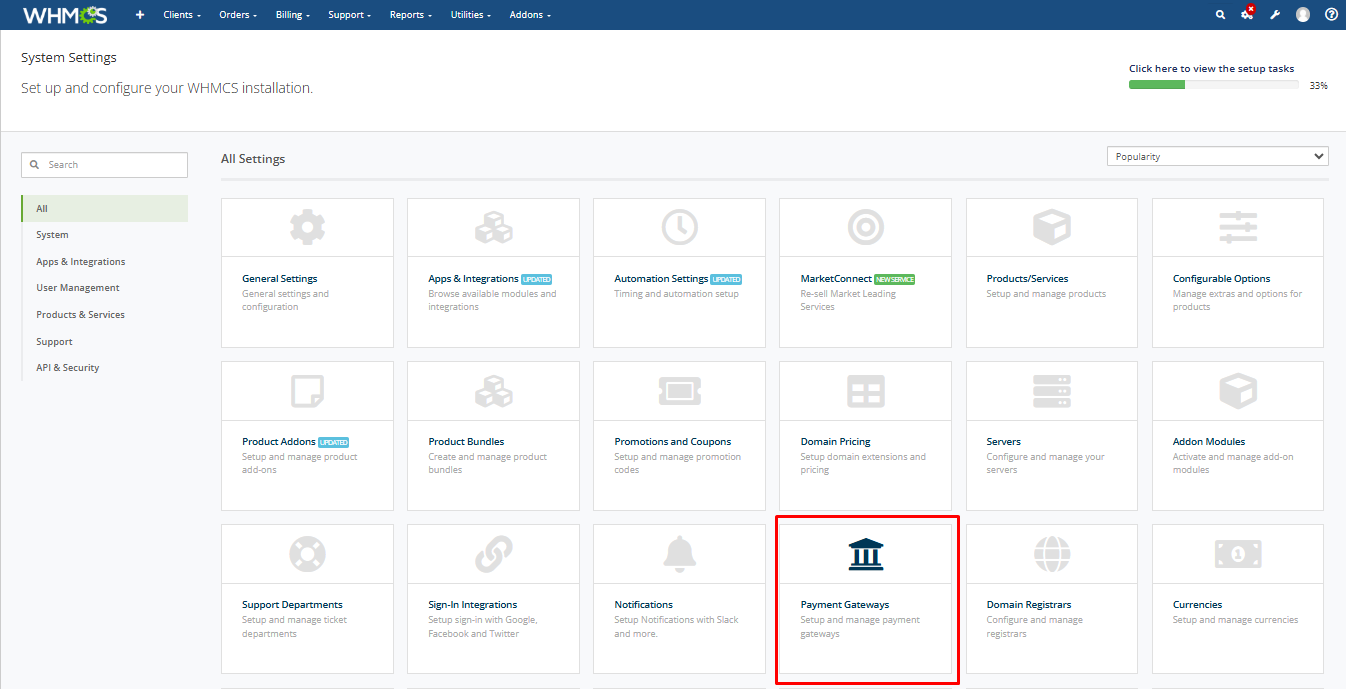
Next, navigate to the “Apps and Integration” section by clicking the corresponding button.
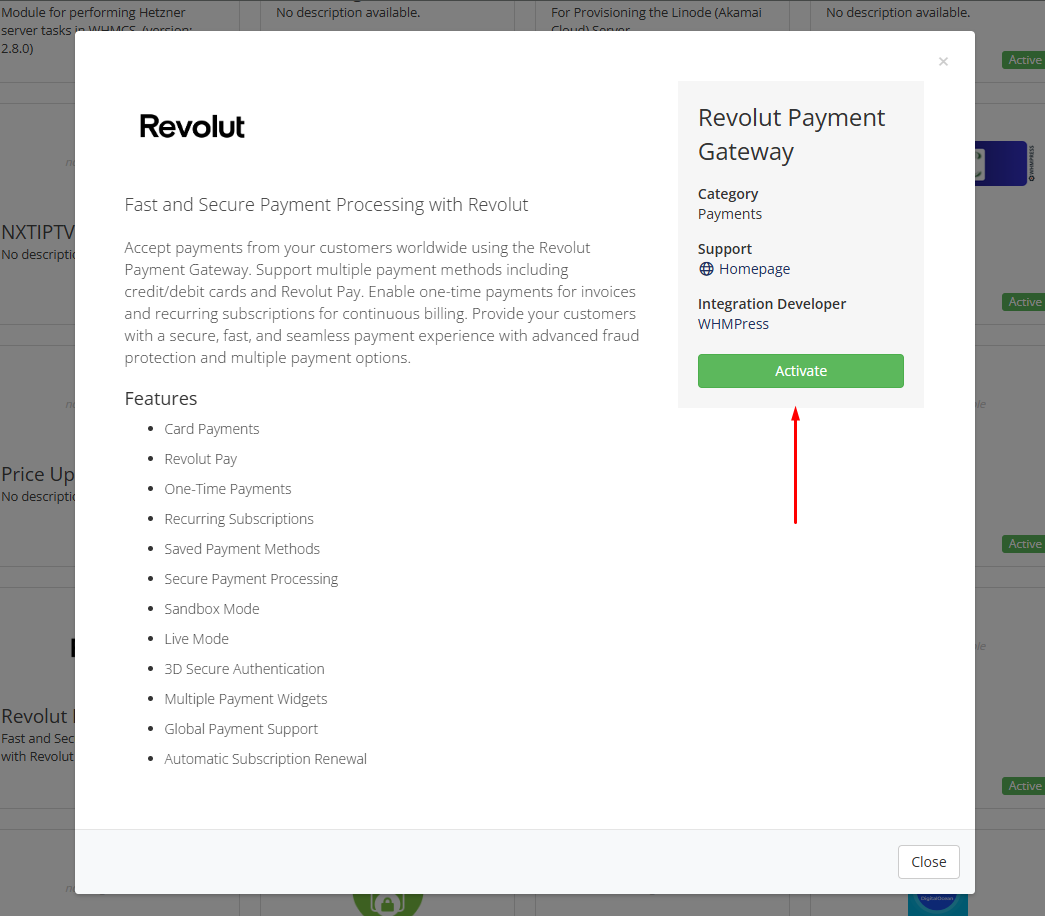
You will then be directed to the “Apps and Integration” page. Scroll to the bottom of the page, find the Revolut Payment Gateway module, and click to activate it.
Once you activate the module, it will appear on the page. Enter all required information and click “Save Changes” to complete the setup.

Your module has been successfully configured. You can now proceed to place orders using the Revolut payment gateway module.
Conclusion:
Thank you for reviewing this document. If you have any questions or need further assistance, please feel free to reach out.
[ WHMPRESS.com ]
[ [email protected] ]