Every WHMCS install already fires off notifications for new invoices, payment receipts, and ticket replies — and most of those emails sit unread, get flagged as spam, or land in a folder your client checks once a week. I’ve lost count of the “I never got the invoice email” tickets I’ve seen land on a support desk, right before the account goes overdue. The channel is part of the problem, not just the copy.
Yes — the WhatsApp Notifications & Automation module connects WHMCS to Meta’s WhatsApp Cloud API (or a local gateway) so invoice, payment, and support-ticket alerts land directly on your client’s phone the moment they happen, and clients can check balances, pull up unpaid invoices, or open a ticket right from the chat — no native WhatsApp support ships with WHMCS out of the box.
Why email alone isn’t cutting it anymore
WHMCS’s core notification system runs entirely on email — invoice created, payment received, ticket opened, staff replied, service suspended, and so on, all templated and all sent to an inbox. That’s fine when a client checks their inbox daily. It’s a lot less fine when they don’t, and by the time an overdue notice actually gets read, the service has already been suspended and you’re fielding an angry ticket instead of a quiet renewal.
WhatsApp doesn’t have that problem. People open it within minutes of a message landing, because it’s the same app they use to talk to their kids’ school and their landlord. For a support desk, that gap between “sent” and “seen” is the whole game.
What the WhatsApp Notifications & Automation module actually does
This isn’t a bolt-on that blasts a generic “you have a new invoice” text. It hooks into the same events WHMCS already tracks and rebuilds the message around WhatsApp’s rules.
Connecting to WhatsApp: Meta Cloud API or a local gateway
Setup runs through Meta’s Cloud API — you’ll need a Phone Number ID, a WABA (WhatsApp Business Account) ID, and a Permanent Access Token, plus a webhook running on an active SSL certificate. If you’d rather not deal with Meta’s Business API directly, the module also supports a local WhatsApp gateway as an alternative path.
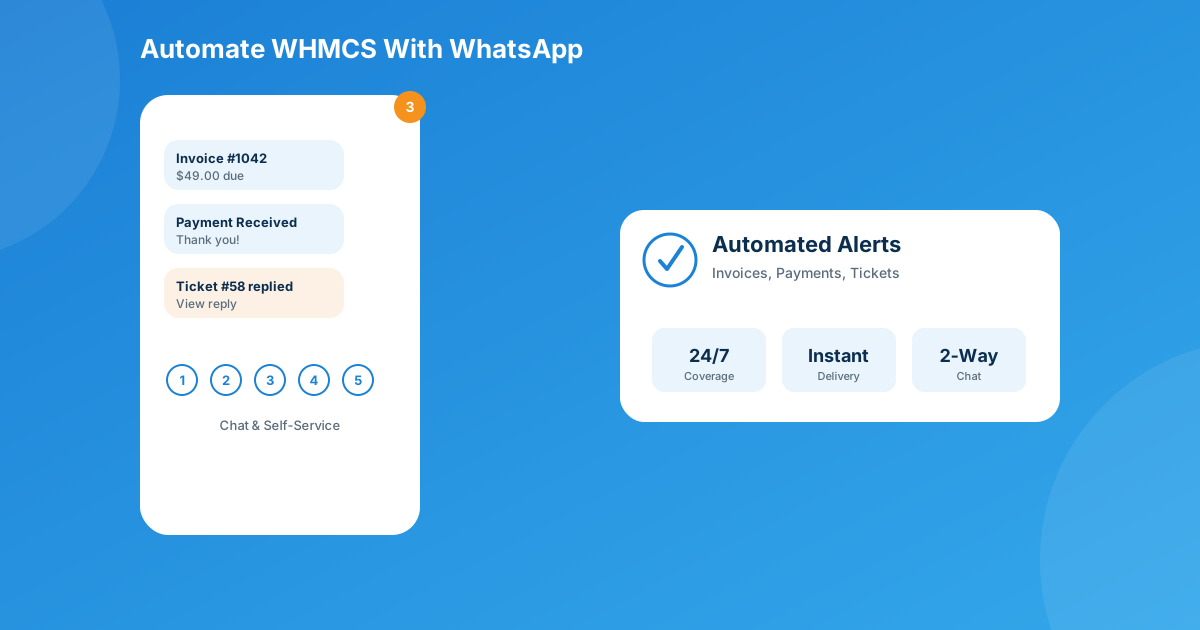
What messages actually go out
- Invoice creation and publication, with a billing breakdown and a direct payment link
- Payment receipt confirmations
- Support tickets being opened
- Staff replies to open tickets
- Account summary messages on request
Messages use official Meta-approved templates with dynamic variables (invoice number, amount, due date, ticket subject), and lean on “utility” template categories specifically to get around WhatsApp’s 24-hour session-window restriction that normally limits when a business can message a customer.
The self-service side: a chatbot, not just a broadcast
This is the part that actually cuts support load. Clients can message the number back and navigate a numbered menu (1–5) to:
- View their active services and domains
- Pull up unpaid invoices, complete with a payment link
- View, open, reply to, or close support tickets
- See an account summary — name, email, phone, balance
None of that requires logging into the client area. It’s the same self-service philosophy behind a module like client-side password resets — the fewer steps between “I have a question” and “I have an answer,” the fewer tickets your team fields.
WHMCS email vs. WhatsApp notifications, side by side
| Aspect | WHMCS native (email) | WhatsApp Notifications & Automation |
|---|---|---|
| Channel | Email only | WhatsApp, via Meta Cloud API or a local gateway |
| Client can reply / self-serve | No — one-way | Yes — numbered chatbot menu |
| Typical time-to-read | Depends on inbox habits and spam filters | Usually minutes — push notification to phone |
| Invoice & payment alerts | Yes, template-based | Yes, with payment link and billing breakdown |
| Ticket alerts | Opened and staff replies | Opened, staff replies, plus in-chat replies |
| Setup effort | Built in, zero config | Meta Cloud API credentials + webhook/SSL, or a local gateway |
Where this fits with the rest of your automation stack
WhatsApp alerts solve the “did they even see it” problem, but they’re one piece of a bigger picture. If checkout abandonment is costing you signups, that’s a different automation entirely — the Abandoned Cart module handles recovering carts people never finished. If clients still bounce off the payment step because they don’t want to create an account first, Guest Invoice Login tackles that friction from the web side, while the WhatsApp module’s chatbot already drops a payment link straight into the chat. Stack them together and you’re covering the same client-communication gap from three different angles instead of hoping one channel catches everyone.
Pricing and compatibility
The module is priced to try without much commitment:
- Monthly: $7.50/mo
- Annual: $39/yr (about 56.7% cheaper than paying monthly)
- One-time license: $99, includes six months of support
- Open-source version: $299 one-time
It runs on WHMCS 8.7 through 9.0.3, PHP 8.1–8.3, needs ionCube Loader v13+, and works with the Six, Twenty-One, and Lagom themes.
Frequently asked questions
What does the WHMCS WhatsApp Notifications module actually send messages for?
It fires on the same events WHMCS already tracks — invoice creation, payment receipt confirmation, a support ticket being opened, and staff replying to a ticket — using official Meta-approved templates with dynamic variables like invoice number, amount, and due date.
Do I need a WhatsApp Business account to use it?
You need Meta Cloud API credentials — a Phone Number ID, a WABA (WhatsApp Business Account) ID, and a Permanent Access Token — plus a webhook running on an active SSL certificate. If you’d rather not deal with Meta’s Business API directly, the module also supports a local WhatsApp gateway as an alternative.
Can clients actually do anything, or is it just one-way alerts?
It’s two-way. Clients can message back and use a numbered menu (1–5) to check active services and domains, pull up unpaid invoices with a payment link, view or reply to support tickets, or see an account summary with their balance — all inside the WhatsApp chat.
How much does it cost?
$7.50/month, $39/year (about 56.7% cheaper than paying monthly), or a one-time $99 license that includes six months of support. There’s also a $299 one-time open-source version. It supports WHMCS 8.7 through 9.0.3 on PHP 8.1–8.3, with ionCube Loader v13+.
The bottom line
If overdue invoices and “I never got your email” tickets are eating into your support team’s week, adding WhatsApp isn’t a gimmick — it’s a second channel for the messages that actually need to be seen, plus a self-service layer that quietly deflects a chunk of routine tickets before they’re ever opened. At $7.50 a month to test, there’s not much reason not to try it against a segment of your client base first.
Get the WhatsApp Notifications & Automation module and start pushing invoice, payment, and ticket alerts to where your clients actually look. Need something more custom — a different provider, extra triggers, a CRM tie-in? Our custom WHMCS development team builds that too.
Get the ModuleWhatsApp Notifications & Automation
Automated Client Messaging
Send invoice, payment, and support alerts straight to your clients’ WhatsApp — plus a self-service chatbot for balances, tickets, and unpaid invoices.
Get the Module View product details →Custom WHMCS Development
Bespoke Modules & Integrations
Need a module, gateway, or integration built around how your business runs? We build upgrade-safe, API-driven WHMCS solutions.
Get a Free Quote View services →