One flagged server IP and every client on that box goes quiet — invoice reminders, ticket replies, password resets, all of it silently swallowed by a spam filter somewhere. I’ve had hosts message me convinced their WHMCS install was broken, when the real problem was a Spamhaus listing nobody had checked in three weeks.
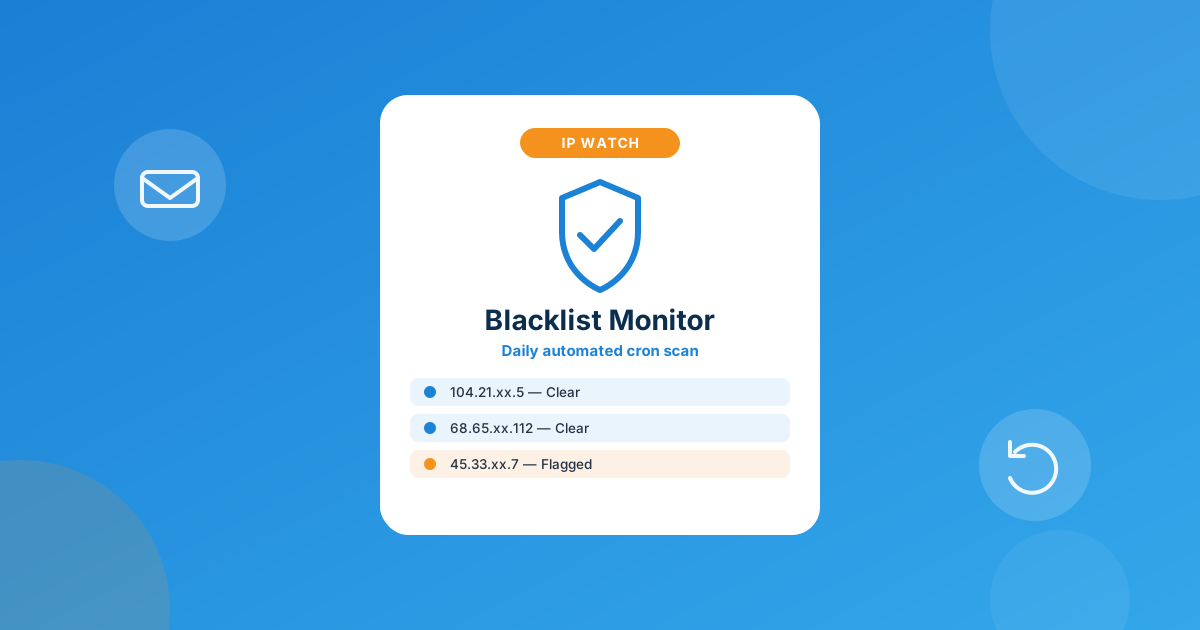
Yes — you can watch every IP tied to your WHMCS servers for blacklist hits without checking anything by hand. Server IP Blacklist Checker for WHMCS scans automatically via a daily cron job and pushes an alert to email or Slack the moment one of your IPs gets flagged — so you catch it the same day, not three weeks later when a client finally asks why their invoices stopped arriving.
Why a blacklisted IP is worse than it looks
A blacklist hit doesn’t feel dramatic at first. No downtime, no error page, nothing that shows up on an uptime monitor. Mail just… stops landing. And on a shared or reseller box, “mail” means a lot: WHMCS invoice reminders, “your ticket has a reply” notifications, password-reset links, domain-expiry warnings, the works. If your server’s outbound IP lands on Spamhaus, SORBS, or one of the smaller regional DNSBLs, every one of those emails is now a coin flip — delivered, spam-foldered, or bounced outright, depending on the recipient’s mail provider.
The part that actually costs you money is the delay. Most hosts don’t find out from a monitor — they find out from a client complaint, days after the IP was already flagged. By then you’ve got a pile of unpaid invoices nobody saw, a support queue of “did you get my ticket?” messages, and a much harder job explaining that it wasn’t actually WHMCS acting up.
How an IP actually ends up on a blacklist
It’s rarely one big obvious event. The usual culprits: a compromised client account blasting spam through a contact form or a hacked WordPress install, a client sending genuinely spammy marketing mail through their hosting account, an old tenant’s reputation you inherited when you leased a fresh block of IPs, or just aggressive automated scanning from bots that gets misread as abuse. On shared infrastructure, one bad account can tank deliverability for every other client sitting on the same outbound IP — which is exactly why this isn’t a “check it once a year” problem.
The manual way most hosts still do this
The default process looks like this: open a blacklist-lookup tool, paste in each server’s IP one at a time, read through a hundred-plus DNSBL results, note which ones flagged it, then repeat that across every server you run — weekly, if you’re disciplined about it, which most hosts aren’t once they’re past a handful of boxes. It works, but it’s the kind of task that quietly falls off the to-do list the moment things get busy, and deliverability problems compound the same way unnoticed failed-payment retries do — the damage is already done by the time you notice.
Automating blacklist monitoring inside WHMCS
Server IP Blacklist Checker for WHMCS handles the checking loop for you, directly from your WHMCS server list. What it actually does:
- Automatic scanning: it detects and scans every IP already assigned to your servers in WHMCS — you don’t maintain a separate IP list.
- Real-time status tracking: it continuously tracks each IP’s blacklist status so a change gets caught, not missed until the next manual check.
- Instant alerts: flagged IPs trigger a notification by email (SMTP) or a Slack webhook, so you or your team hear about it the moment it happens.
- Daily automation: a built-in cron job runs the scan on its own schedule — nobody has to remember to log in and click “check.”
- Manual “Check All Server IPs” button: for whenever you want an on-demand scan outside the daily run.
- Custom IP management: add IPs beyond what’s assigned to a server, and disable monitoring for deactivated servers so old boxes don’t clutter your alerts.
- Configurable blacklist sources: a dedicated tab to manage and add your own choice of RBL/DNSBL providers, so you control what it’s checking against.
One honest caveat, because I’d rather you know this going in than find out later: the module catches and alerts — it doesn’t file the delisting request for you. Once you know an IP is flagged, actually getting it removed still means going to that specific blacklist’s removal process. The value here is speed of detection, not a magic auto-fix button.
Manual checking vs. automated monitoring
| Task | Manual checking | Server IP Blacklist Checker |
|---|---|---|
| Detection frequency | Whenever someone remembers to run it | Daily via cron, plus on-demand |
| Scope | One IP at a time, one server at a time | All server-assigned IPs, automatically |
| Alerting | None — you have to go look | Email or Slack the moment an IP is flagged |
| Blacklist sources | Whatever the tool you happen to use covers | RBL/DNSBL providers you choose and manage |
| Typical time-to-notice | Days, often from a client complaint | Same day |
Pair it with IP-level security, not just monitoring
Blacklisting and brute-force lockouts are different problems, but they usually get discovered the same way — a client can’t get in, or mail stops arriving, and it lands on your support desk. If your clients regularly trip CSF’s brute-force protection and end up needing an admin to manually unblock their own IP, Server IP Unban From CSF & Bruteforce lets them self-serve that from the WHMCS client area instead of opening a ticket — logged, rate-limited, and off your plate.
Setting it up
Install goes through the usual WHMCS addon-module path: upload, activate under Configuration > System Settings > Addon Modules, then point it at your SMTP settings or Slack webhook for alerts and pick which RBL/DNSBL providers you want it watching. It runs on WHMCS 8.7 through 9.0.3, needs PHP 8.1–8.4, and requires ionCube Loader v13 or later like the rest of the WHMPress catalog. There’s a free version if you want to try the core scanning first, and a $39 one-time open-source version that includes six months of support and updates.
Frequently asked questions
How do I know if my server IP is blacklisted right now?
Run a manual lookup against DNSBL providers like Spamhaus or SORBS, or let Server IP Blacklist Checker scan every IP assigned to your WHMCS servers automatically and alert you the moment one is flagged, instead of checking by hand.
Does one blacklisted IP affect all my clients, or just one?
If clients share an outbound mail IP — common on shared and reseller hosting — a blacklist hit affects every client on that IP, not just the account that caused it. That’s what makes catching it fast so important.
Will this module automatically remove my IP from a blacklist?
No — it detects and alerts you the moment an IP is flagged so you can act immediately. Actually getting delisted still means following that specific blacklist provider’s own removal process.
How often does it check my IPs?
It runs an automated daily scan via cron, and you can also trigger an on-demand check anytime with the “Check All Server IPs” button.
The bottom line
A blacklisted server IP isn’t a WHMCS problem, but it looks exactly like one from where your clients sit — missing invoices, missing ticket replies, “did you even get my message?” support tickets. The fix isn’t complicated: stop relying on someone remembering to check manually, and let a daily automated scan tell you the same day something’s wrong instead of the same week a client does.
Get Server IP Blacklist Checker running on your WHMCS install, or talk to us about wiring alerting into a workflow that’s specific to how your support team operates.
Get the ModuleServer IP Blacklist Checker
Automated Deliverability Monitoring
Scans every server IP in WHMCS daily via cron and alerts you by email or Slack the moment one gets flagged on a blacklist.
Get the Module View product details →Custom WHMCS Development
Bespoke Modules & Integrations
Need a module, gateway, or integration built around how your business runs? We build upgrade-safe, API-driven WHMCS solutions.
Get a Free Quote View services →