
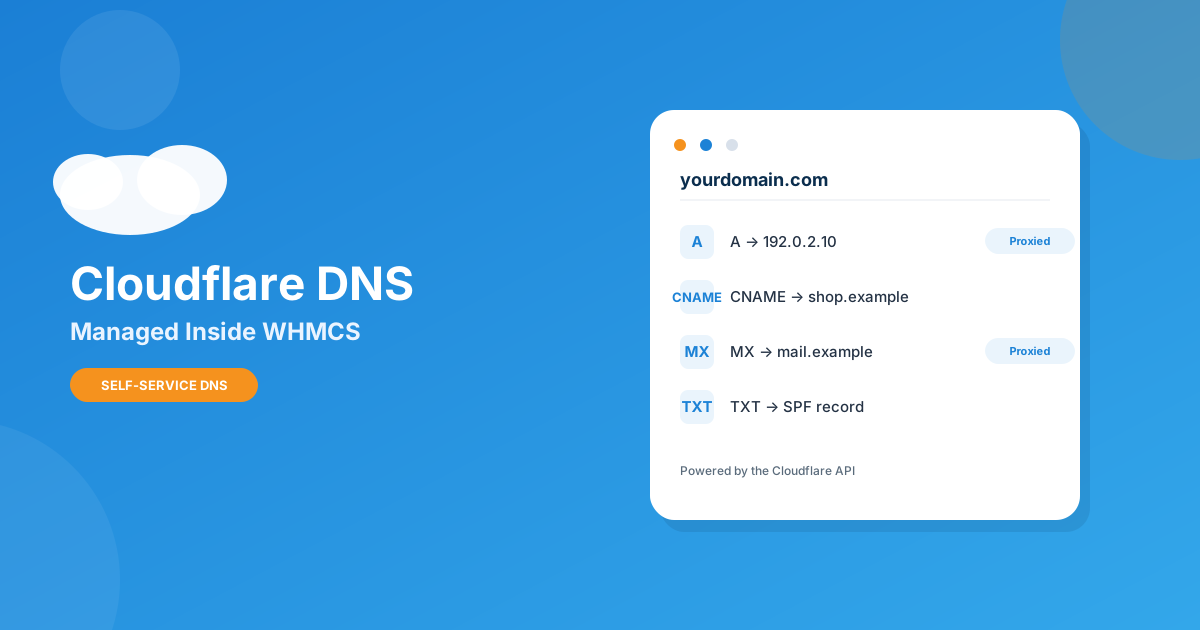
Every host has the same ticket in their queue: “Can you point my domain somewhere else?” or “I need to add an SPF record, can you do it?” It’s a two-minute job for you and a two-day wait for the client if you’re slow to get to it. Cloudflare already handles the DNS for a huge share of your customers’ domains — the only thing missing is a way to let them touch it without handing over a Cloudflare login.
Yes — with Cloudflare DNS Manager for WHMCS, clients get a dedicated DNS tab in their client area where they can add, edit, and delete A, AAAA, CNAME, MX, TXT, SRV, CAA, and NS records, toggle the Cloudflare proxy on or off, and manage SSL/TLS and caching settings — all tied to the zone WHMCS already provisioned for their service.
Why DNS Tickets Are a Bad Use of Your Support Desk
DNS changes aren’t hard. They’re just risky enough that most clients won’t touch them without asking first, and specific enough that most support agents have to look up the record type before typing it in. Multiply a five-minute lookup-and-edit by even a modest ticket volume and you’ve got a support agent spending half a shift on copy-paste DNS work that a client could safely do themselves if the interface didn’t require a separate Cloudflare account.
The pattern I see most often with growing hosts: DNS tickets are rarely urgent enough to escalate, but frequent enough to clog the queue behind things that actually matter — failed payments, provisioning errors, real outages. Every ticket you can move to self-service is time back for the tickets that need a human.
What Cloudflare DNS Manager for WHMCS Actually Does
This one is built specifically to sit inside the WHMCS client area rather than bounce clients out to a separate dashboard. Once a service provisions, the module creates the Cloudflare zone automatically and hands the client a tabbed management panel scoped to their own domain — nothing else on the Cloudflare account is exposed. The tabs, per the module’s product page, are:
- Overview — zone status, current nameservers, and quick actions in one glance.
- DNS Records — full add, edit, and delete access for A, AAAA, CNAME, MX, TXT, SRV, CAA, and NS records, with a one-click proxy toggle per record.
- Security — SSL/TLS mode, HTTPS rewrites, HSTS, and minimum TLS version, all client-adjustable.
- Cache & Performance — cache level, browser cache TTL, Always Online, development mode, and purge-by-URL or purge-all.
- Firewall — WAF custom rules using Cloudflare’s Wirefilter syntax, for clients who know what they’re doing.
- Analytics — DNS query volume, latency, and traffic data pulled straight from Cloudflare.
On your side, the admin gets per-product zone settings (account ID, zone type, SSL mode, cache level), auto-generated configurable options so clients can pick their tier at checkout, a built-in API connection tester, and a zone summary dashboard with quick-action buttons across every provisioned domain. Zones suspend, unsuspend, and terminate automatically in step with the WHMCS service lifecycle, and nameservers can auto-point via the WHMCS LocalAPI so there’s no manual handoff step.
Manual DNS Support vs. Client-Area Self-Service
| Task | Cloudflare Dashboard / Support Ticket | Cloudflare DNS Manager for WHMCS |
|---|---|---|
| Add or edit a DNS record | Client emails support, or you hand over a separate Cloudflare login | Client edits it directly in their WHMCS account, scoped to their zone only |
| Toggle the Cloudflare proxy | Requires Cloudflare dashboard access | One click, per record, in the DNS Records tab |
| Adjust SSL/TLS or HSTS settings | Support ticket or shared credentials | Self-service in the Security tab |
| Purge cache after a deploy | Client waits on you | Purge by URL or purge-all, client-side |
| Zone lifecycle (suspend/terminate) | Manual, easy to forget on cancellation | Automatic, tied to the WHMCS service status |
How It Works in Practice
- Connect your Cloudflare account to WHMCS using a Cloudflare API v4 Bearer token, and confirm the connection with the module’s built-in tester.
- Set the zone type, SSL mode, and cache level defaults on the product the domain is attached to — these become the client’s starting configuration.
- When the service activates, the module provisions the Cloudflare zone and auto-points nameservers, with a pending-zone banner shown until propagation completes.
- The client sees a new “DNS Management” link in their client area and works entirely within their own zone — records, security, cache, firewall, and analytics, no Cloudflare login required.
Is This Worth Adding to Your Stack?
If you’re running more than a handful of hosting or reseller accounts, the math is straightforward: every DNS ticket you eliminate is time you get back for support work that actually needs a human, and every client who can fix their own MX record without waiting on you is a client who trusts your platform a little more. It’s a natural fit alongside the rest of the WHMCS module catalog hosts use to shrink their support load, and it plays especially well for anyone scaling a reseller operation through a full hosting business setup where support headcount hasn’t caught up with client count yet.
Where it’s not the right fit: if your clients never touch DNS themselves and you’re happy managing it centrally, this is a feature they’ll never open. It earns its keep specifically for hosts whose clients run their own domains, campaigns, or subdomains and expect some level of control.
Frequently asked questions
Do clients need their own Cloudflare account to use this?
No. The module authenticates to Cloudflare using your API token on the backend. Clients never log into Cloudflare directly — they manage their zone entirely from inside their WHMCS client area.
What DNS record types can clients manage?
A, AAAA, CNAME, MX, TXT, SRV, CAA, and NS records, with full add, edit, and delete access plus a per-record proxy toggle.
What happens to the DNS zone if a client’s service is suspended or cancelled?
The zone lifecycle is tied to the WHMCS service status — zones suspend, unsuspend, and terminate automatically as the service changes state, so there’s no manual cleanup step for you to remember.
Does this replace needing a Cloudflare account at all?
No — you still need a Cloudflare account and an API v4 Bearer token to connect the module. What it replaces is clients (or your support team) needing to log into that Cloudflare account directly for routine DNS changes.
The bottom line
DNS tickets are exactly the kind of work that should never reach a human being twice. Cloudflare DNS Manager for WHMCS takes the records, proxy toggles, SSL settings, and cache controls your support desk handles on repeat and puts them directly in the client’s hands, scoped safely to their own zone. If DNS requests are eating into time you’d rather spend on the tickets that actually need you, this is the module that gets them off your plate.
Add Cloudflare DNS Manager to your WHMCS install and let clients handle their own records, proxy settings, and SSL — or if you need it wired into a custom provisioning flow, our Custom WHMCS Development team can build that around your stack.
Get the ModuleCloudflare DNS Manager
Client-Side DNS Control
Let clients add, edit, and delete DNS records — with proxy toggle, SSL, and cache controls — right from their WHMCS client area.
Get the Module View product details →Custom WHMCS Development
Bespoke Modules & Integrations
Need a module, gateway, or integration built around how your business runs? We build upgrade-safe, API-driven WHMCS solutions.
Get a Free Quote View services →