Every hosting entrepreneur hits this fork in the road eventually: keep reselling someone else’s server capacity, or take the plunge and own the box yourself. I’ve watched hosts agonize over this decision for weeks when the honest answer usually takes five minutes to work out once you know what actually matters — cost, control, and how many clients you’re really carrying.
Start on reseller hosting if you’re under roughly 50-100 active clients and don’t need custom server configs — it’s cheaper, the provider handles the hardware, and you can be selling within a day. Move to your own VPS or dedicated server once you’re hitting resource caps, need root access for a client’s odd requirement, or the reseller markup is eating too much of your margin. Either way, the WHMCS layer that runs your billing and provisioning stays the same — see our full hosting business setup if you want that part handled end to end.
What Reseller Hosting Actually Gives You
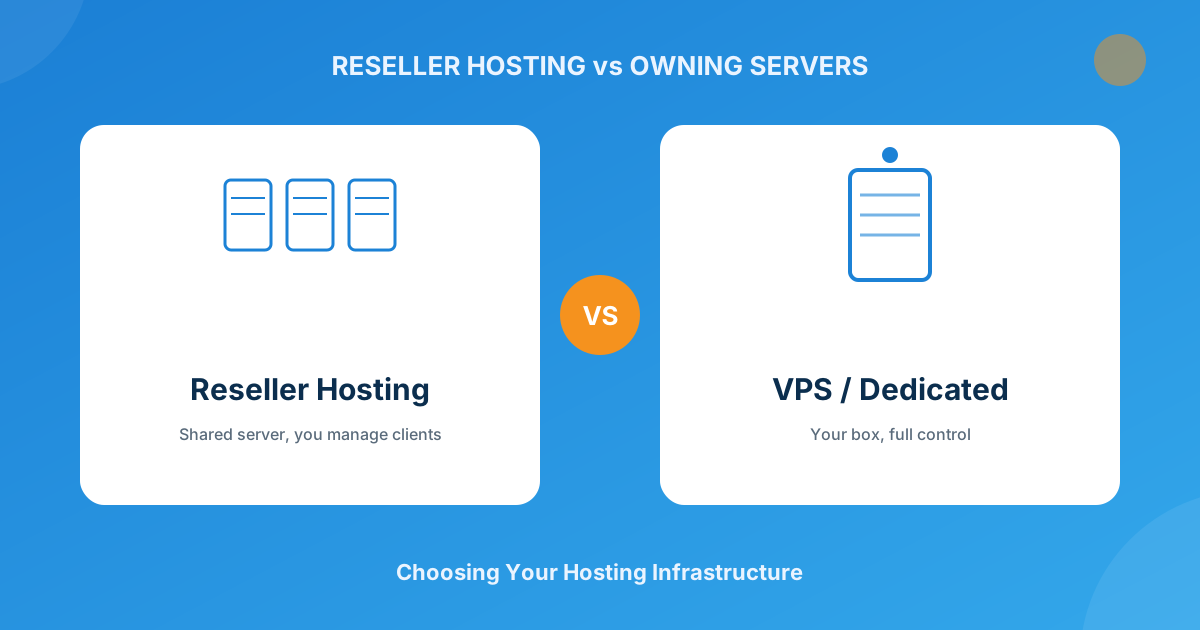
Reseller hosting is you buying a chunk of server resources in bulk from a provider — usually a cPanel/WHM-based shared or semi-dedicated environment — then carving it up into individual hosting accounts you sell under your own brand. The provider owns the hardware, patches the OS, handles the network, and answers the 3am “the server’s down” call. You just manage WHM accounts and bill your clients.
That trade-off is the entire appeal. I’ve set up resellers for people with zero sysadmin background who were taking paying clients within 48 hours, because there’s no server to configure — just accounts to create. The catch is you’re boxed into whatever stack your provider runs. Need a specific PHP extension, a custom firewall rule, or root access to install something unusual for one client? You’re filing a support ticket and waiting, not just doing it.
What You Take On When You Own the Server
A VPS or dedicated server flips that arrangement. You get an isolated slice of compute (VPS) or an entire physical machine (dedicated), and with that comes root access — meaning you can install anything, tune anything, and configure the environment exactly how a specific client or workload needs it. Performance is also more predictable, since you’re not sharing a box with dozens of other resellers’ accounts, each with their own traffic spikes.
The cost of that freedom is that you’re now the sysadmin. Security patching, firewall rules, backup strategy, monitoring uptime, recovering from a bad kernel update at 2am — all of it lands on you unless you pay extra for a managed plan. I’ve seen hosts underestimate this and end up spending more hours patching servers than actually growing their client base. If that’s not how you want to spend your time, our Server Management service takes over exactly that workload — security hardening, 24/7 monitoring, backups, and incident response on your cPanel or Plesk box — so owning the server doesn’t mean becoming its full-time admin.
Reseller Hosting vs Owning a Server: Side-by-Side
| Factor | Reseller Hosting | VPS / Dedicated |
|---|---|---|
| Setup speed | Live in hours, no server config needed | Days — OS install, hardening, WHM/cPanel setup |
| Root access | No — bound to provider’s stack | Yes — full control over the environment |
| Server maintenance | Handled entirely by the provider | Your responsibility (or a managed-plan add-on) |
| Typical monthly cost | Roughly $15-$60 for a solid reseller plan | $20-$40+ for VPS, $80-$200+ for dedicated |
| Resource ceiling | Capped by your plan tier, shared underneath | Whatever the box (or your budget) allows |
| Best for | New hosts, low client counts, testing the market | Established hosts, custom requirements, scale |
The Real Cost Comparison (Beyond the Monthly Bill)
The sticker price is only half the math. A reseller plan looks cheap until you account for the markup baked into every account you sell — you’re paying for someone else’s profit margin on top of the raw server cost. Own the server, and that markup disappears, but you’re now paying (in either cash or hours) for the sysadmin work the provider used to do for free.
Where this usually shakes out: below 50-ish clients, reseller hosting almost always wins on total cost, because the time you’d spend managing a VPS is worth more than the markup you’re avoiding. Past that point, especially once you’re running 100+ accounts, the per-client cost of owning a VPS or dedicated box tends to undercut reseller pricing — and you also stop being at the mercy of another company’s outages, oversells, or policy changes.
When to Make the Jump From Reseller to Your Own Box
Signs you’ve outgrown reseller hosting
- You’re regularly hitting inode, CPU, or storage caps on your reseller plan and upgrading tiers just to stay afloat
- A client needs a server-level change — a custom PHP version, a cron daemon, a niche extension — that your provider won’t touch
- Your reseller provider has had more than one or two unplanned outages that cost you client trust
- The math above tips: you’re paying more in reseller markup than a VPS plus your own time would cost
None of these mean you have to rip everything out overnight. Plenty of hosts run reseller accounts for smaller/newer clients while migrating their bigger, higher-margin accounts to a VPS as they outgrow the shared environment — a hybrid approach that spreads the risk.
WHMCS Runs Either Model — the Infrastructure Choice Doesn’t Change That
Whichever side of this you land on, you still need something managing orders, invoicing, and client access — and for the vast majority of hosts, that’s WHMCS. It doesn’t care whether it’s provisioning against a shared reseller account or a dedicated box; the billing, support tickets, and client portal work the same way either way. What changes is the provisioning module you point it at — a cPanel/WHM reseller integration versus a full server module for whatever platform you’re now running yourself.
I’ve walked hosts through this exact transition more than once: same WHMCS install, same client database, just a swapped-out server module and updated product settings once they moved from reselling to owning. If you’re not confident wiring that up yourself — server config, WHMCS setup, and the WordPress site that sells it all — that’s exactly what a full hosting business setup is built to handle in one pass instead of three separate headaches. And if you’d rather manage the day-to-day WHMCS side conversationally instead of clicking through the admin panel, it’s worth a look at how an MCP server for WHMCS lets you run client, billing, and service lookups in plain English.
The provisioning and payment layer matters here too — see our breakdown of WHMCS vs manual hosting management for what automation actually saves you regardless of which server model you pick, and once you’re past the survival phase, our guide to upselling and cross-selling covers how to grow revenue per client instead of just chasing new sign-ups.
For the module side of things — whichever infrastructure you’re on — the full WHMCS module marketplace has the provisioning, billing, and automation pieces to fill the gaps your base install doesn’t cover.
Frequently asked questions
Can I run WHMCS on a reseller hosting account?
Yes. WHMCS is application software — you can install it on a reseller account, a VPS, or a dedicated server. The infrastructure decision affects how you provision client hosting accounts, not whether you can run WHMCS itself.
Is owning a VPS more profitable than reseller hosting?
It depends almost entirely on scale. Below roughly 50 clients, the time cost of managing your own server usually outweighs the reseller markup you’d save. Past 100+ clients, owning the box typically wins on per-client cost — but only if you’re actually equipped to manage it, or budgeting for managed support.
Do I need root access to start a hosting business?
No. Plenty of successful hosting businesses run entirely on reseller accounts with no root access at all, especially in the early stages. Root access only becomes necessary when a client needs a server-level customization your reseller provider won’t or can’t make.
What’s the easiest way to move from reseller to VPS later?
Keep your WHMCS install and client database as-is, then swap the server provisioning module to match your new VPS or dedicated setup and migrate accounts in batches rather than all at once. Running both in parallel during the transition avoids a hard cutover for clients already on the reseller side.
The bottom line
Reseller hosting isn’t a lesser option — it’s the right tool for a specific stage of the business, and plenty of profitable hosts never leave it. Owning your own server isn’t a badge of seriousness either — it’s a trade of monthly savings for hands-on responsibility that only pays off once your client count justifies it. Pick based on where you actually are today, not where you hope to be in a year, and let WHMCS carry the billing and client-management load no matter which side you’re on.
If you’re moving off reseller hosting, let us carry the parts that eat the most time. Our Server Management plans cover security hardening, 24/7 monitoring, backups, and incident response on your VPS or dedicated box — server and webhosting support plus WHMCS maintenance, A to Z. Need the WHMCS side built too? Our Custom WHMCS Development team wires up the provisioning module and client area to match.
Get Server ManagementServer Management
cPanel & Plesk, Fully Managed
Security hardening, 24/7 monitoring, automated backups, and incident response from certified experts — server and webhosting support, and WHMCS maintenance, A to Z.
See Management Plans View plans & pricing →Custom WHMCS Development
Bespoke Modules & Integrations
Need a module, gateway, or integration built around how your business runs? We build upgrade-safe, API-driven WHMCS solutions.
Get a Free Quote View services →