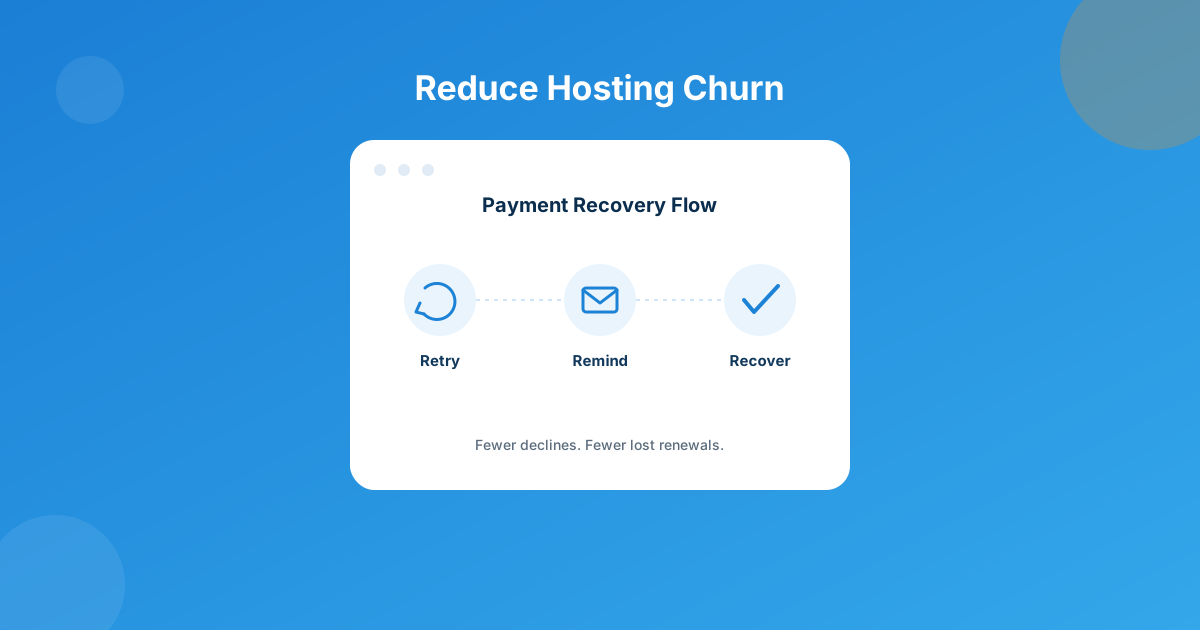
Last month a host I talk to pulled his cancellation report and nearly choked on his coffee: almost half of his “lost” clients hadn’t cancelled anything. Their cards had just failed at renewal, WHMCS gave up after the default retries, and the account quietly suspended itself into a ghost. That’s not churn. That’s a plumbing problem.
Most involuntary churn is fixable with settings you already own: tighten WHMCS’s built-in payment retry and reminder schedule first, then add a dedicated recovery layer like the Abandoned Cart Module for the carts that never even became invoices. Do both, and you’ll reduce hosting churn without touching your pricing or your product.
Two very different reasons a payment fails
Before you touch a single setting, separate the two failure types in your head, because they need opposite responses.
Soft declines are temporary: insufficient funds on payday-minus-two, a bank’s fraud filter having a bad day, a 3D Secure prompt the customer never completed. Retry these at the right moment and most of them clear on their own.
Hard declines are permanent: the card is expired, cancelled, or reported stolen. Retrying these does nothing except annoy the customer and, if you hammer a dead card too many times, get your merchant account flagged by the processor. The fix here is proactive — catch the expiry before it happens, not after.
A lot of hosts run one blunt retry schedule for both cases. That’s why recovery rates stay low even when the automation is technically “on.”
Step one: fix WHMCS’s native retry settings
Before you buy or build anything, open Configuration > System Settings > Automation Settings and check the Credit Card Charging Settings section. Three fields decide almost everything about your soft-decline recovery:
- Process Days Before Due — attempt the charge a few days ahead of the due date instead of exactly on it, so a Tuesday payday doesn’t cost you a Sunday-due invoice.
- Attempt Only Once — leave this unchecked. Checking it tells WHMCS to try the card exactly once and give up, which is the single biggest reason “automated” billing still loses recoverable payments.
- Retry Every Week For — set this to a real number (2 or 3, not 0 left as-is by accident). WHMCS will then attempt capture on the due date, again seven days later, and again the week after that before it stops.
None of this needs a module. It’s a five-minute change most hosts have simply never opened. If you’ve never touched this screen, assume you’re on the default and losing recoverable renewals to it right now.
Step two: make your reminder emails do actual work
Under Billing Settings, check how many days before and after the due date WHMCS sends notices, and how many days of non-payment trigger suspension. Two mistakes I see constantly on support tickets:
First, the suspension window is set so tight that a customer whose card failed on a Friday gets suspended before their bank even processes the retry. Second, every reminder email reads like a threat instead of a nudge — no host name, no “update your card here” link front and center, just a wall of invoice jargon nobody reads on a phone. Loosen the suspension window by a few days, and rewrite the first reminder to lead with the fix (update payment method) instead of the consequence (suspension). That alone recovers renewals with zero new tooling.
Step three: catch abandoners before they’re even a failed invoice
Native retry settings only work on invoices that already exist — they don’t help the visitor who added a hosting plan to cart, hit checkout, got distracted, and never came back. That’s a different leak, and it needs a different tool: the Abandoned Cart Module for WHMCS. It automatically captures cart details from people who bail before completing an order and runs a three-stage email recovery sequence, each with its own configurable delay and its own editable template. The admin dashboard shows total carts, total pending, and total recovered at a glance, with CSV export and a manual “resend” button for the ones you want to nudge yourself.
Think of it as the pre-invoice half of the same problem native retries solve after the invoice exists. Skip either half and you’re only catching part of the leak.
Native retries vs. a dedicated recovery module
| Capability | Native WHMCS retry & reminders | Abandoned Cart Module |
|---|---|---|
| Works on | Existing invoices for active clients | Carts abandoned before checkout completes |
| Retry schedule | Configurable weekly retries via Automation Settings | Not applicable (no card is charged pre-order) |
| Follow-up emails | Standard overdue/reminder notices | Three-stage custom email campaign per abandoned cart |
| Reporting | Invoice/billing reports | Dashboard with totals, filtering, CSV export |
| Setup cost | Free — built into every WHMCS install | Paid module, lifetime updates included |
Don’t ignore the gateway itself
Some “involuntary” churn isn’t the customer’s fault at all — it’s a gateway rejecting a card type or region it doesn’t handle well. If you’re only offering one processor, you’re inheriting all of its blind spots. Reviewing your payment gateway options periodically — including WHMCS’s own built-in gateways alongside newer additions — is a legitimate churn-reduction move, not just a checkout-conversion one. A card that a customer’s bank blocks on one processor sometimes clears fine on another.
A 30-day playbook
- Open Automation Settings and set Attempt Only Once to unchecked, Retry Every Week For to 2 or 3, and enable Process Days Before Due.
- Loosen the suspension trigger by a few days and rewrite your first overdue email to lead with “update your card,” not “your account will be suspended.”
- Turn on the Abandoned Cart Module to stop losing carts you never even invoiced.
- Pull a decline-reason report from your gateway and check whether one processor is responsible for a disproportionate share of hard declines.
- Re-run your churn number 30 days later — separate voluntary cancellations from recovered involuntary ones so you know what actually moved.
Frequently asked questions
What’s the difference between voluntary and involuntary churn?
Voluntary churn is a client actively cancelling. Involuntary churn is a client who never meant to leave — their renewal payment simply failed and nobody fixed it in time. The fixes are completely different: voluntary churn needs a retention conversation, involuntary churn needs better billing plumbing.
Does WHMCS retry failed card payments automatically?
Yes, by default, but the schedule is configurable and often left on defaults nobody has reviewed. Under Configuration > System Settings > Automation Settings, the Credit Card Charging Settings section controls Process Days Before Due, Attempt Only Once, and Retry Every Week For — check all three before assuming your retries are working the way you think.
How many times should I retry a declined card?
Two to three attempts spread across roughly two weeks catches most recoverable soft declines without hammering a genuinely dead card. Beyond that you’re mostly retrying hard declines that will never clear, which wastes retries and can flag your merchant account for excessive attempts.
Will an abandoned cart tool actually reduce churn, or is that a different metric?
It’s a related but distinct leak. Churn measures clients who leave after they’ve started paying; cart abandonment measures revenue that never became a client at all. Fixing both matters if you’re trying to grow net revenue, but they’re solved with different tools — retry/reminder settings for the first, a dedicated recovery sequence like the Abandoned Cart Module for the second.
The bottom line
Involuntary churn feels like a customer-retention problem, but it’s usually a configuration problem wearing a retention problem’s clothes. Fix the three free WHMCS settings first — they cost nothing and take five minutes. Then plug the pre-invoice leak with a dedicated recovery tool, and take a look at whether your gateway mix is quietly causing declines that have nothing to do with the customer at all.
Every WHMCS setup has its own quirks — custom invoice logic, a second gateway, a non-standard suspension rule. If the built-in settings and modules don’t quite fit how your business runs, we’ll build the piece that does.
Talk to Custom DevMCP Server for WHMCS
Automate Billing Ops with AI
Let an AI agent query invoices, retries, and client billing status directly against your WHMCS install — built for teams automating recovery workflows.
Get the Module View product details →Custom WHMCS Development
Bespoke Modules & Integrations
Need a module, gateway, or integration built around how your business runs? We build upgrade-safe, API-driven WHMCS solutions.
Get a Free Quote View services →