
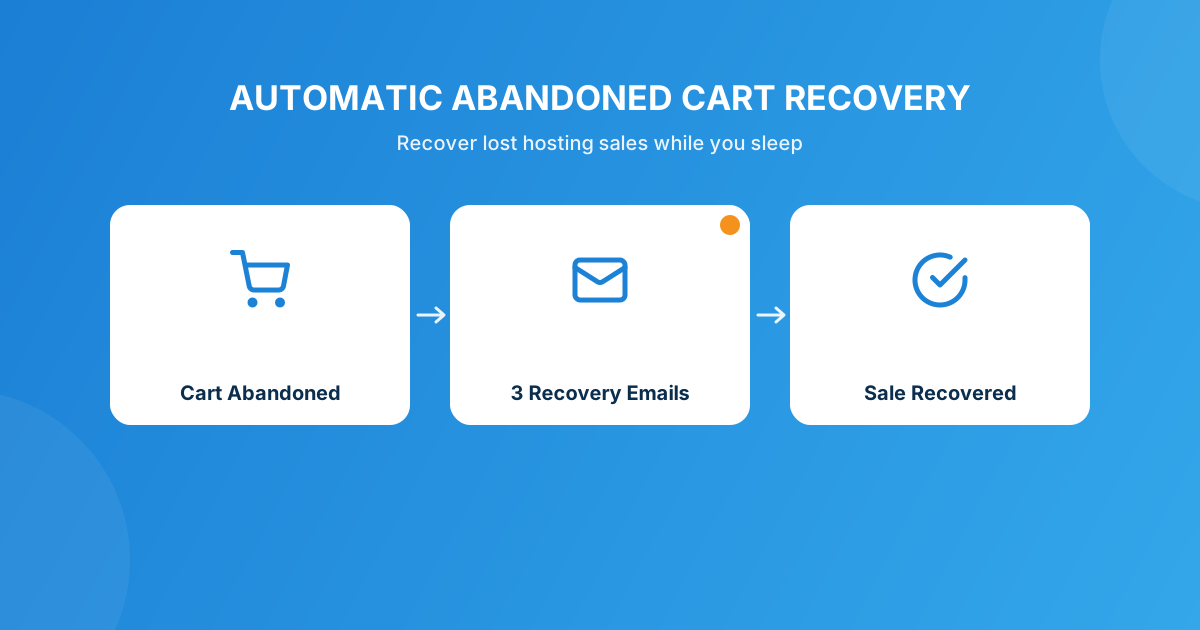
Somewhere between “add hosting to cart” and “click pay,” most of your visitors just… leave. They get a phone call, their card fails, they want to “think about it” and never come back. It happens on every hosting order page, and unless you’re doing something about it, that revenue is just gone.
WHMCS doesn’t track or follow up on abandoned carts out of the box. To recover that revenue automatically, you install a dedicated addon — Abandoned Cart for WHMCS — which captures cart details from guests and logged-in clients the moment they leave, then fires a three-stage email sequence to bring them back to checkout without you lifting a finger.
Why hosting carts get abandoned in the first place
Hosting checkouts aren’t like buying a t-shirt. Someone’s comparing your renewal pricing against three tabs, second-guessing whether they need that SSL add-on, or just got distracted mid-signup because the kid needed something. I’ve watched support tickets come in days later that start with “hey, I tried to order last week but got busy” — and every one of those is a sale that almost happened.
The frustrating part is that WHMCS, out of the box, doesn’t give you visibility into any of it. A visitor fills in their details, picks a plan, maybe even gets to the payment gateway screen, and if they bounce, that record just doesn’t exist anywhere in your admin. No lead, no follow-up, no second chance.
What “automatic” recovery actually looks like
This is where a purpose-built module changes the math. Abandoned Cart for WHMCS captures cart details from non-customers who abandon checkout and then runs a multi-stage email recovery campaign against those carts automatically, on a cron — no admin has to remember to chase anyone down.
The three-email sequence that does the heavy lifting
The module gives you three configurable delay intervals — one for each of the 1st, 2nd, and 3rd reminder email. That staggering matters more than people think:
- Email 1, sent soon after abandonment, catches people who just got interrupted and genuinely still want to check out.
- Email 2, a bit later, is your nudge for the “I meant to come back to this” crowd.
- Email 3, further out, is the last call — this is where you’d lean on urgency messaging if you’re going to.
On activation, the module creates three custom email templates for you automatically, with template variable support, and drops direct links into the WHMCS email template editor so you (or whoever owns marketing copy) can rewrite the wording without touching code. If a cart still doesn’t convert, you can also trigger a manual resend on that specific record from the admin dashboard — handy when a client calls in asking “didn’t I have something in my cart?”
Guest checkouts are where most of this abandonment happens
Here’s the part a lot of hosts miss: the majority of abandoned carts aren’t from existing clients, they’re from guests who never finished creating an account. That’s exactly who this module is built to catch — it’s designed to capture cart details from non-customers, not just logged-in users. If checkout friction for existing clients is a separate pain point for you (someone needing to log in just to pay an open invoice), that’s a different problem worth solving alongside this — see Guest Invoice Login for that specific gap.
Setting up abandoned cart recovery in WHMCS
The actual setup is a short, one-time job:
- Install and activate Abandoned Cart for WHMCS from WHMCS Admin → Addons.
- Configure the module’s own SMTP settings (or use PHP Mail) and run the built-in test-email function before you trust it with real customers.
- Set your three reminder delays — a common starting point is a few hours, one day, then two to three days out.
- Open the three auto-generated templates in the WHMCS email editor and rewrite them in your own voice; the default copy works, but it reads better once it sounds like you.
- Check the admin dashboard periodically — it shows Total Carts, Total Pending, and Total Recovered at a glance, with date filtering, CSV export, and bulk delete for cleanup.
That’s it. Once the delays and templates are set, the cron handles the rest — no one on your team needs to manually chase a cart again.
DIY follow-up vs. an automated module
| Approach | What it takes | What you actually get |
|---|---|---|
| Manual follow-up | Someone remembers to check incomplete orders and emails each lead by hand | Inconsistent, slow, and it stops the moment that person is busy or leaves |
| Generic “we noticed you left something” note | A one-off email template you send when you happen to notice | No tracking, no timing logic, no idea what converted |
| Abandoned Cart for WHMCS | One-time setup: SMTP, delay intervals, template copy | Cron-driven 3-email sequence, dashboard stats, CSV export, manual resend — running whether or not anyone’s watching |
Industry research on e-commerce checkouts generally puts cart abandonment somewhere around two-thirds to three-quarters of started orders. Hosting isn’t identical to retail, but the underlying behavior — start, hesitate, leave — is the same. Even recovering a small slice of that with zero extra staff time is worth the setup.
Pair it with a reason to come back
A reminder email gets someone’s attention; a reason to finish checkout right now gets the conversion. If your reminder sequence includes a small time-boxed incentive on that third, “last call” email, you’ll generally see a better close rate than a plain nudge. WHMCS doesn’t have native discount logic built for this kind of urgency campaign, which is where something like Discount Center for WHMCS comes in handy for building and scheduling that kind of offer without touching your regular pricing.
Frequently asked questions
Does WHMCS have abandoned cart recovery built in?
No. WHMCS doesn’t natively capture or follow up on incomplete orders — there’s no record of a cart that was never submitted. You need a dedicated addon, such as Abandoned Cart for WHMCS, to capture that cart data and send recovery emails automatically.
How many recovery emails should I send?
Abandoned Cart for WHMCS supports three configurable, delayed reminder emails. A soon-after nudge, a next-day follow-up, and a final urgency-toned message a few days out is a reasonable default, and you can adjust each delay independently.
Does it work for guest checkouts, or only existing clients?
It’s specifically built to capture cart details from non-customers — meaning guests who never finished creating an account — which is where the bulk of hosting cart abandonment actually happens, not just from logged-in clients who bounced mid-order.
Will this interfere with my main WHMCS mail settings?
No. The module has its own SMTP configuration with encrypted password storage and a test-email function, so you can verify delivery independently before it ever sends a live recovery email to a real prospect.
The bottom line
Every hosting business loses a chunk of its checkout traffic to distraction, hesitation, and bad timing — that’s not fixable. What is fixable is whether those carts just vanish or get one more shot at converting. A cron-driven, three-email sequence with its own dashboard and reporting is a small setup cost for revenue you’re currently leaving on the table every single day.
Install Abandoned Cart for WHMCS and let it chase incomplete orders for you — or if you need it wired into a custom checkout flow, our Custom WHMCS Development team can build that around your setup.
Get the ModuleAbandoned Cart for WHMCS
Automatic Checkout Recovery
Captures guest and client cart data automatically and sends a 3-stage email recovery sequence — with a dashboard, CSV export, and manual resend built in.
Get the Module View product details →Custom WHMCS Development
Bespoke Modules & Integrations
Need a module, gateway, or integration built around how your business runs? We build upgrade-safe, API-driven WHMCS solutions.
Get a Free Quote View services →