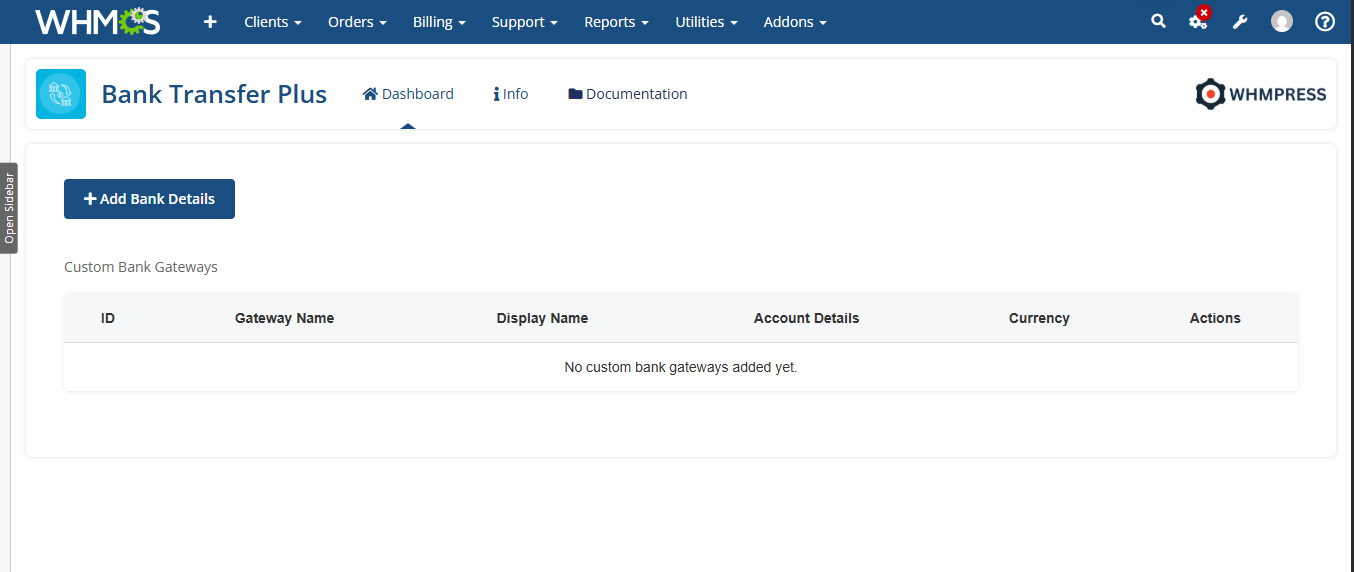
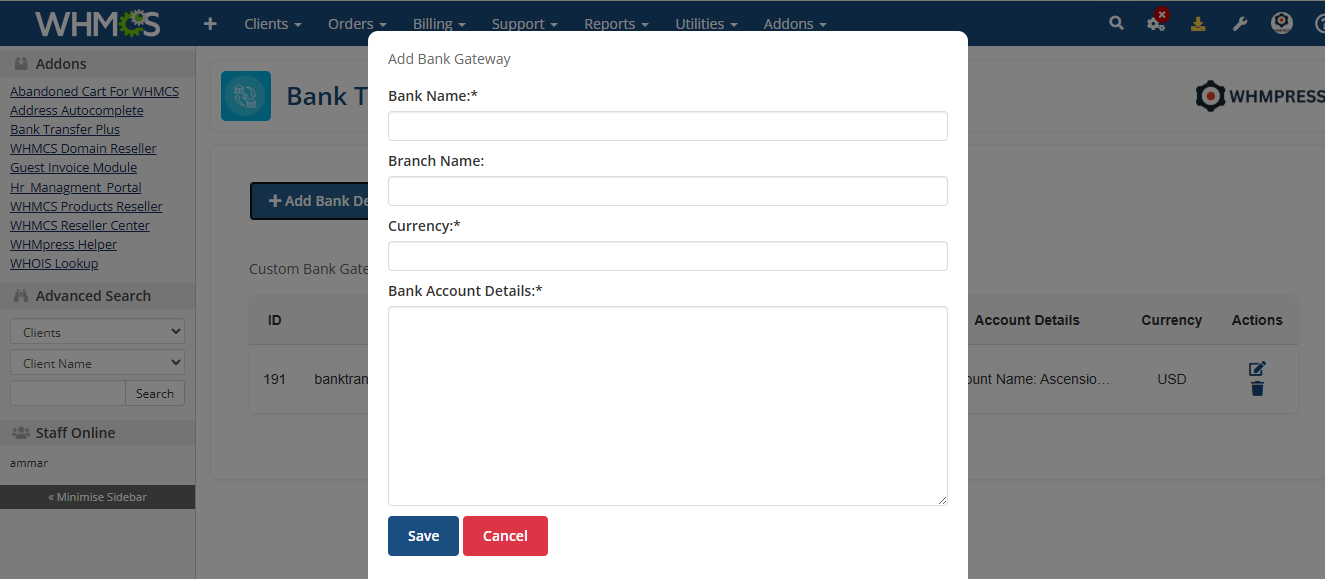
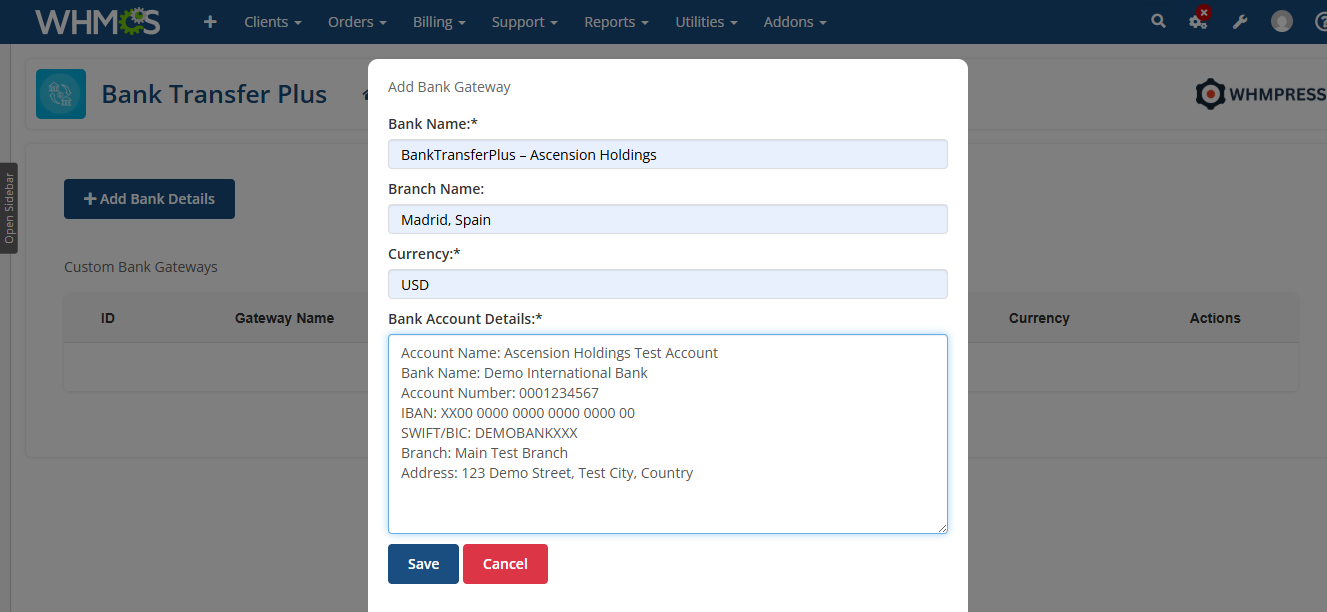
Next, Enter your Custom Banks Details that you want to Use.
Enter the Bank Name.
Enter the Branch Name Of Your Banks .
Enter the Currency that you want to use.
Enter the Bank Account details.
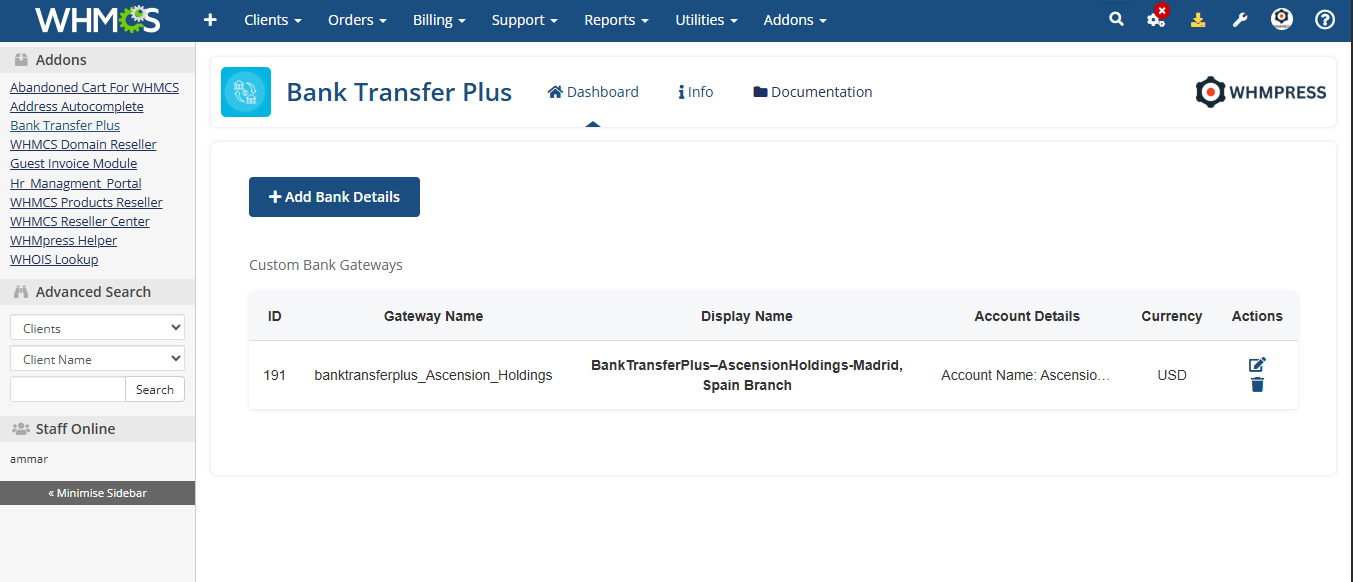
Once all the details of your Custom Bank Gateway have been added it will be added in the Module Dashboard.
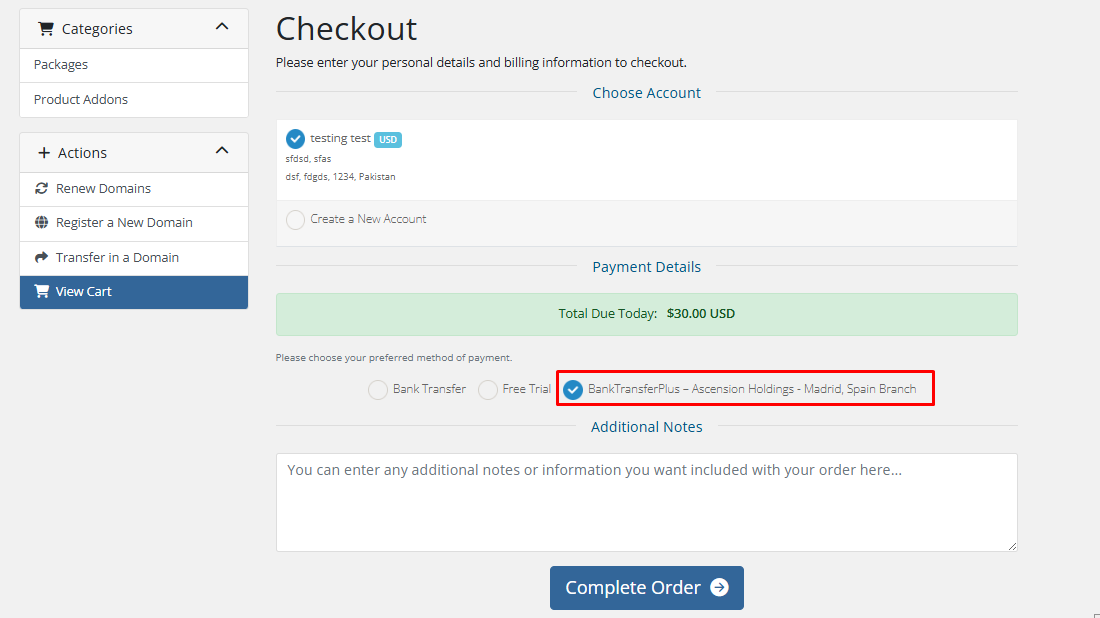
Now that the Gateway has been added, it will be displayed in the Client Area, and you can place an Order using this Gateway.
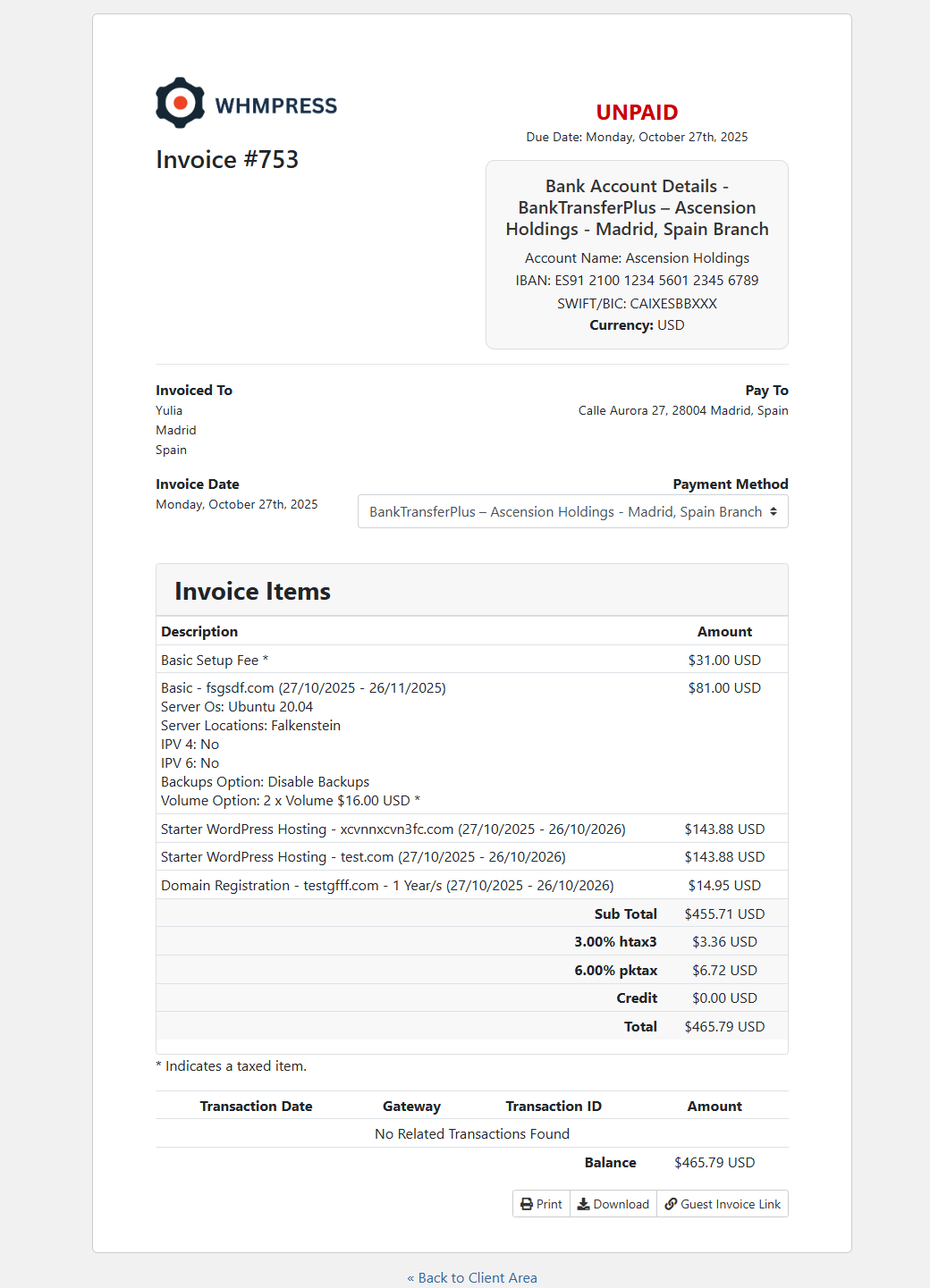
The order has been Successfully Placed, and the Invoice has been generated with your Custom Gateway. The Client can now make the Payment Using your Gateway
Conclusion: Thank you for reviewing this document. If you have any questions or need further assistance, please feel free to reach out.